Meshy Alternative

PicoBerry vs Meshy — the Meshy alternative that includes Meshy

PicoBerry gives game and VR teams a whole pipeline instead of a single generator: choose the best engine for each asset — Meshy, Tripo or Hunyuan3D — then refine, UV, remesh and push straight into Unity, all in one platform with a bundled API. Meshy is one of those engines, so you keep the model you like and gain the whole workflow around it.

See the comparison

One workspace, several engines: pick the best model per asset, then refine it in place.

Engines inside PicoBerryMeshyTripoHunyuan3D+ image models+ PB Remesh · UV · Palette

What is the best Meshy alternative for game developers?

For teams that want more than one generator, PicoBerry. It runs Meshy as a selectable engine alongside Tripo and Hunyuan3D, so you can pick the best result per asset — then carry it through refine, UV, remesh, a bundled REST API and a free Unity editor without changing tools or accounts. One platform, one credit pool, one workflow.

The PicoBerry workflow

PicoBerry isn't one generator — it's the whole process in one place. Start from a strong reference, review it across engines, then move the finished asset into the tool you actually build in.

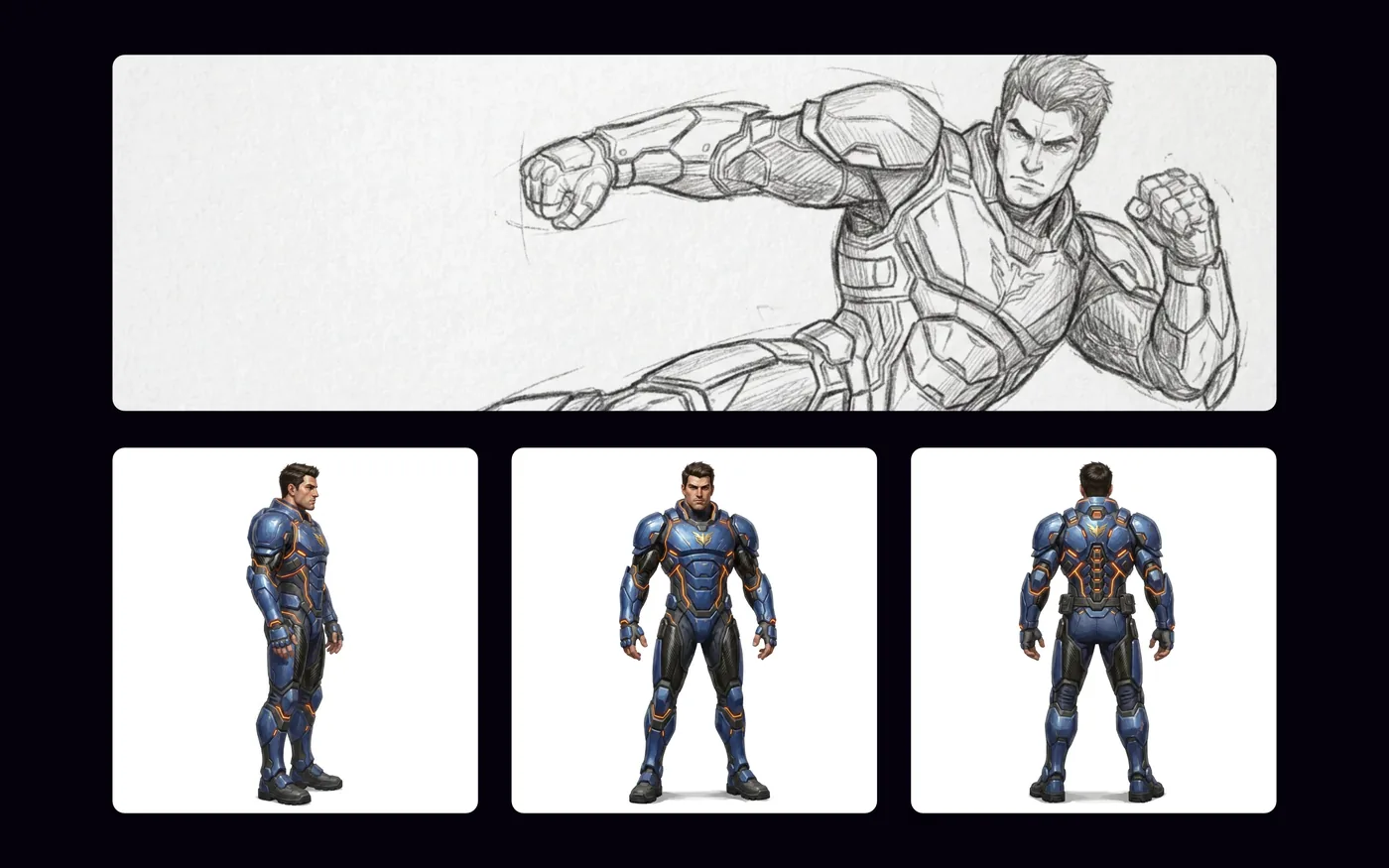
A concept sketch of an armored hero refined into clean front, side and back character reference views generated in PicoBerry
STEP 1

Generate quality image references

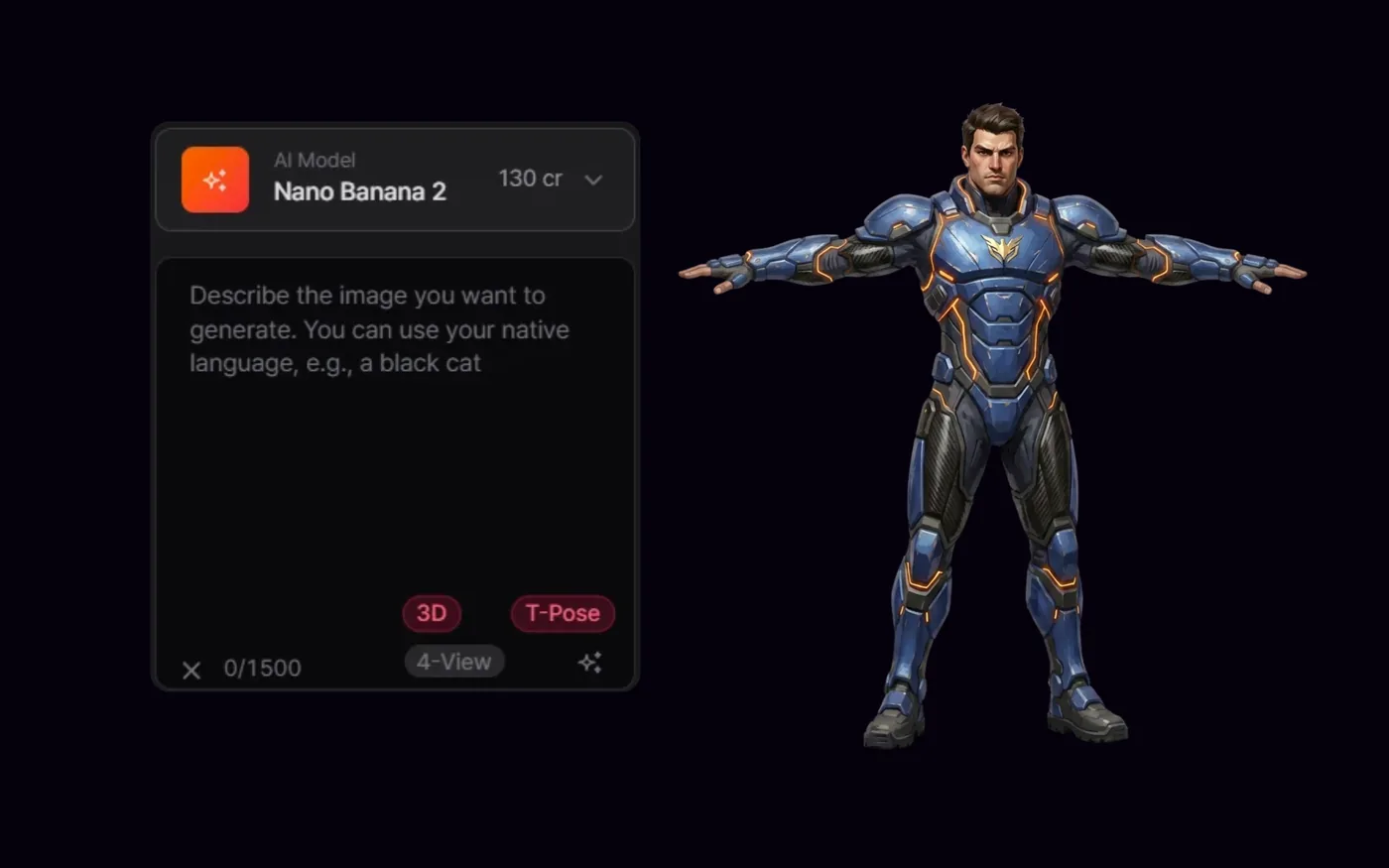
Start with PicoBerry's image models: create clean concept references — T-pose, 4-view, parts breakdown, on-style palettes. A strong reference is what makes the 3D step land the first time.

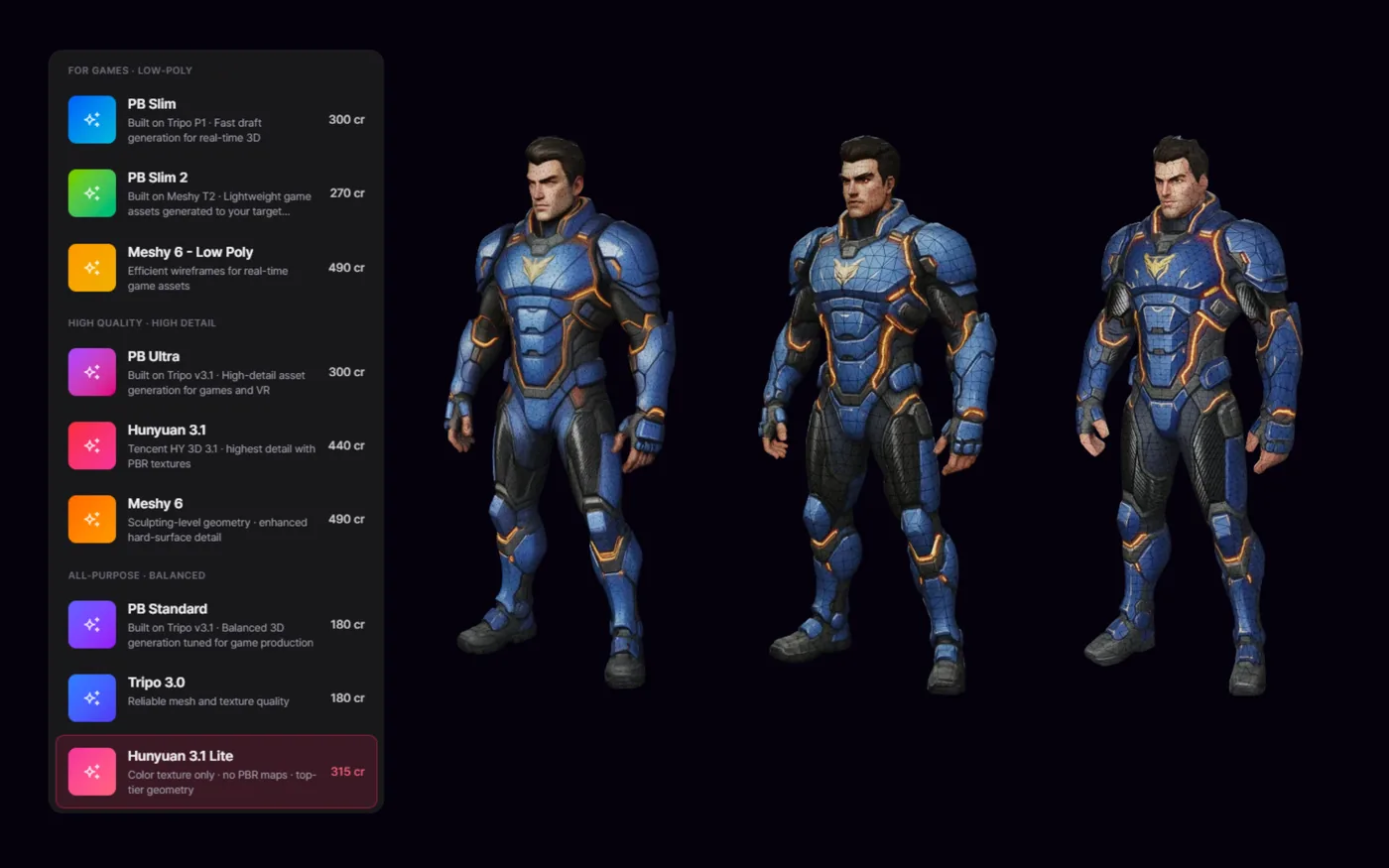
The same character generated across PicoBerry's engine picker — Meshy, Tripo, Hunyuan3D and more — with three 3D results shown side by side for comparison
STEP 2

Multi-engine review

Run that reference through Meshy, Tripo and Hunyuan3D, then compare results side by side and keep the best read per asset — same asset list, same credits, no new account.

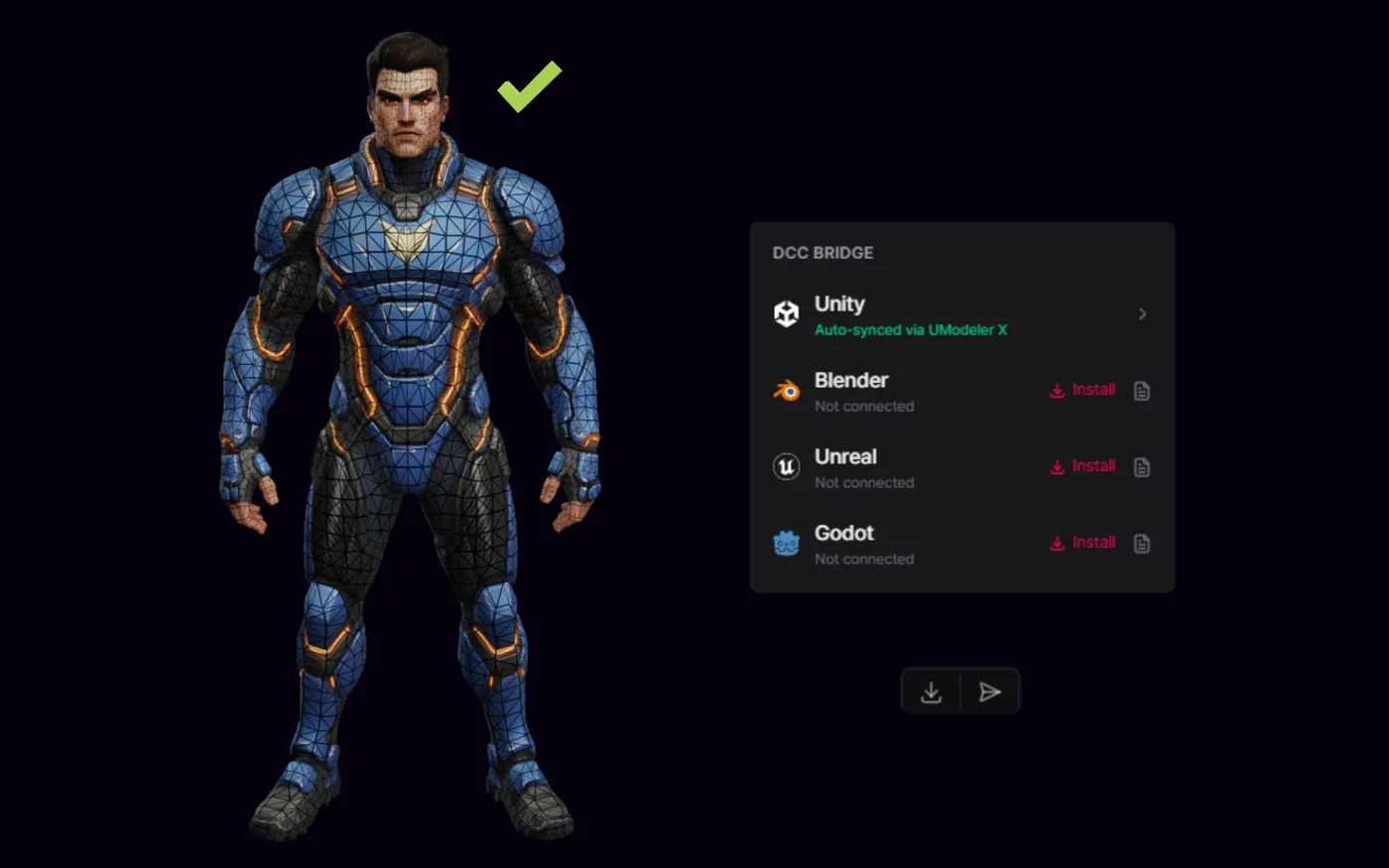
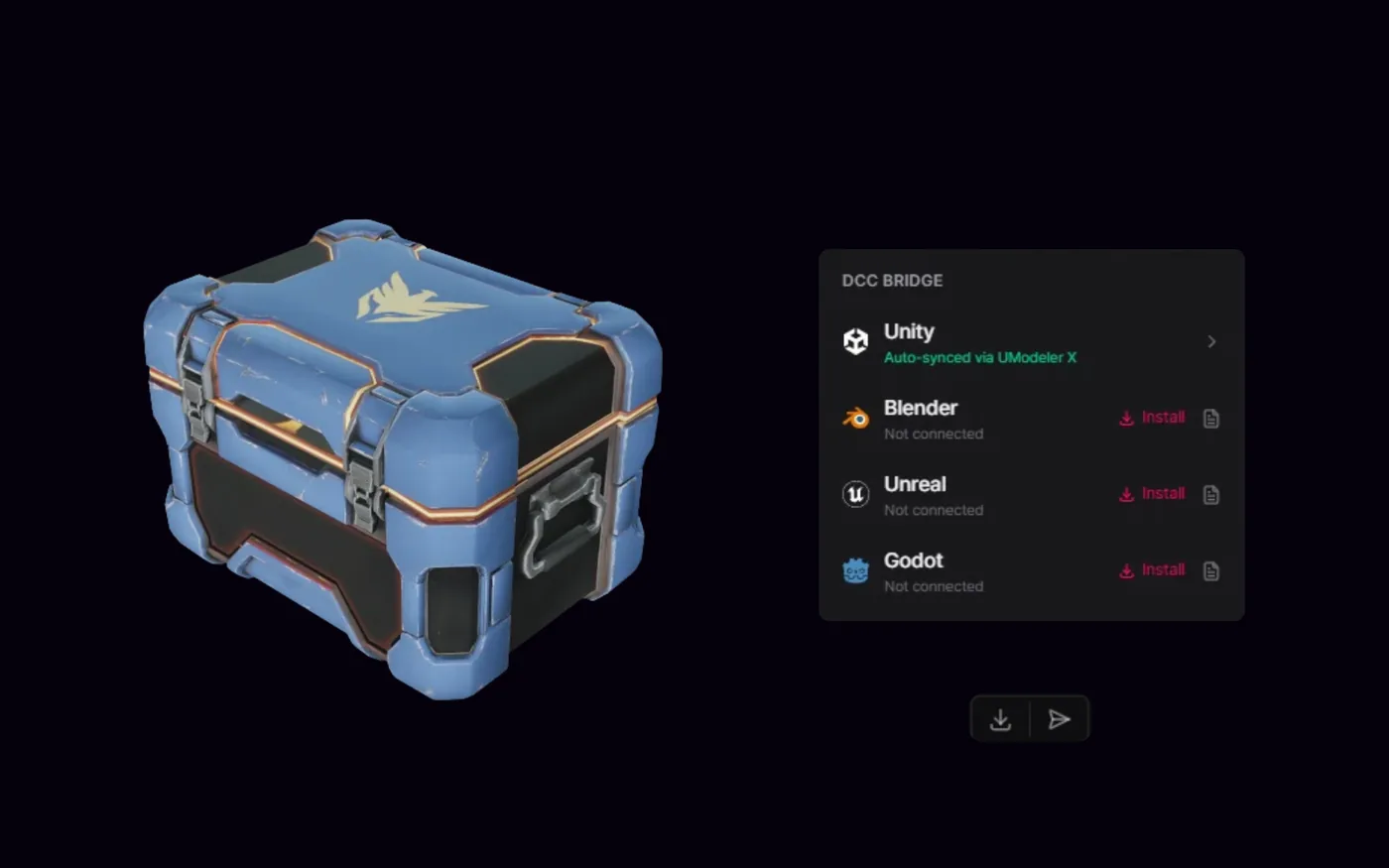
A finished character mesh beside PicoBerry's DCC Bridge panel — Unity auto-synced via UModeler X, with Blender, Unreal and Godot ready to install
STEP 3

Transfer to your favorite DCC tool or game engine

Refine, UV and remesh in place, then one-click bridge the finished asset straight into Unity, Blender, Unreal or Godot — with UModeler X free for Unity clean-up.

How do PicoBerry and Meshy compare?

This table is about capability and workflow, not a price war — both are affordable. The difference is how much of the pipeline each one actually covers.

DimensionPicoBerryMeshy
Generation enginesMeshy, Tripo, Hunyuan3D — multi-model choiceMeshy's own in-house models
Image generationYesFocused on 3D
Beyond generate / refineParts breakdown, UV unwrap, palette extraction, quad remeshRemesh, retexture, rig
AnimationAuto-rig, retarget & preset motions on Tripo and Meshy enginesAuto-rig + preset animation library
REST APIIncluded on every paid plan — same credit pool as the appAvailable on paid plans, credit-based
MCP serverPublished npm package for agents and toolsFirst-party MCP server
Bundled Unity editorUModeler X free on every planPlugin ecosystem, no bundled editor
One-click DCC bridgesBlender · Unreal · Godot · UnitySee Meshy integrations
Commercial licenseFull commercial on all paid plansCommercial on paid plans
Entry plan$12 / mo$20 / mo
Free tierYes — personal useYes — limited

Where do PicoBerry and Meshy actually differ?

A multi-engine workflow, not one model

Meshy generates on its own models only. PicoBerry lets you run the same asset through Meshy, Tripo or Hunyuan3D and keep the best read per prompt — no model is strongest on every asset, so choosing per generation beats being locked to one, all on the same credit pool and account.

Unity: a finishing tool, not just an export

A generated model is rarely the end of the work. UModeler X — a Unity-native editing tool — is included free on every PicoBerry plan, including Free, so the clean-up happens inside the Editor instead of a round trip through another DCC.

Get the image right, get the 3D right

3D generation is only as good as the reference you feed it. PicoBerry's image tools are built to nail that input — T-pose and 4-view for clean silhouettes, parts breakdown for modular pieces, palette extraction to stay on-style — so the mesh comes out accurate the first time instead of costing you re-rolls.

Images and 3D on one credit pool

Concept art and 3D come out of the same subscription and the same credits — generate a reference image, then send it straight into image-to-3D. Export as GLB, FBX or OBJ, with FBX/OBJ as a textured bundle and Unity .meta files on the Unity preset.

Image generation

PicoBerry's image panel with the T-Pose option enabled, generating a clean front-facing T-pose reference of an armored anime character ready to rig

T-Pose

Generate a clean T-pose character reference, ready to rig.

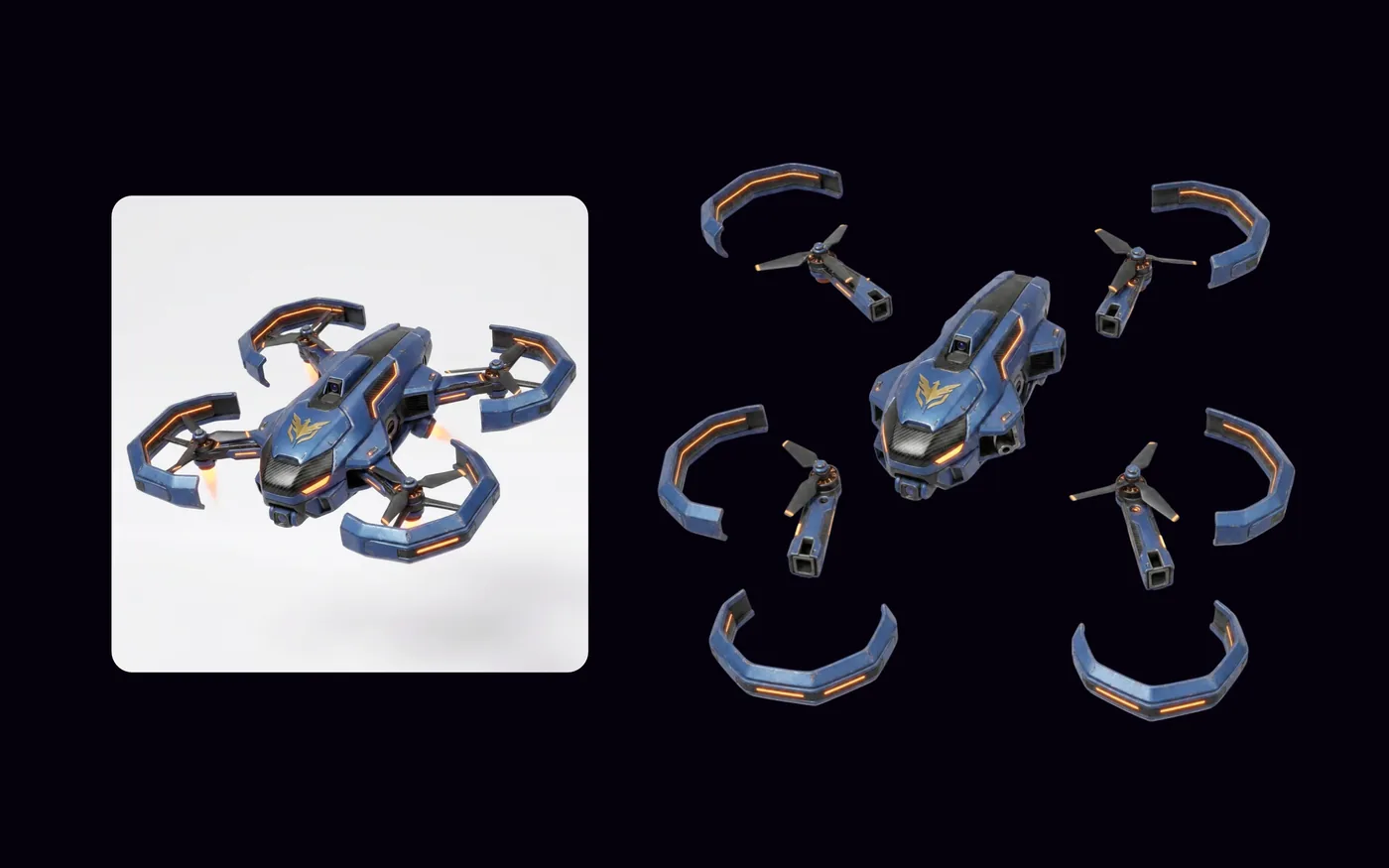
A full sci-fi mech character on the left split into separate components on the right — head, torso, arms, hands, legs and feet laid out as individual parts for modular 3D

Parts Breakdown

Split a concept into separate parts for modular 3D.

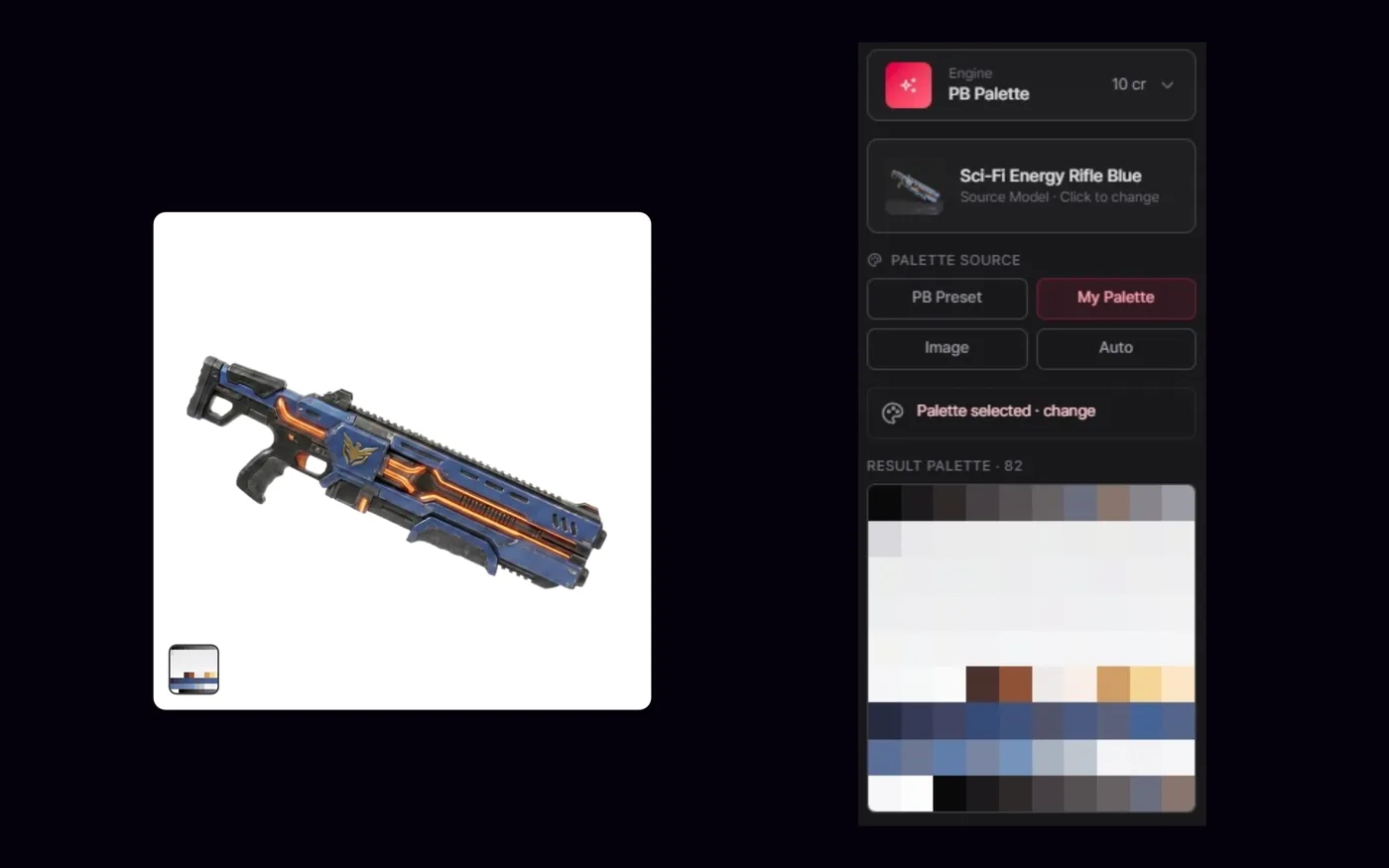
PicoBerry's PB Palette engine pulling a seven-swatch color palette from a sci-fi character image to reuse across assets

Extract Palette

Pull a color palette from any image to stay on-style.

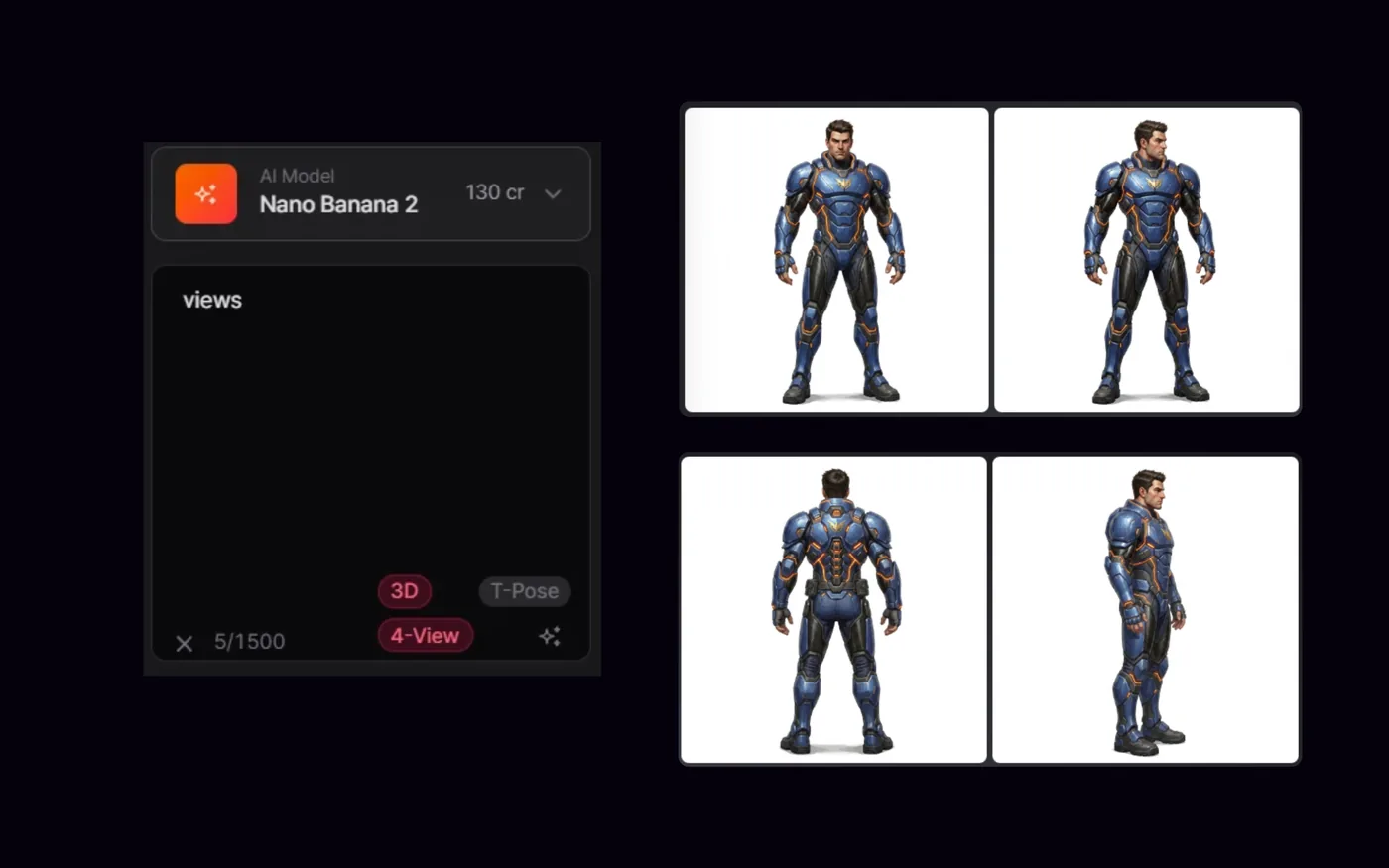
PicoBerry's image panel with the 4-View option enabled, generating front, three-quarter, back and side views of the same character to guide accurate 3D

4-View

Front, side and back views to guide accurate 3D.

3D generation

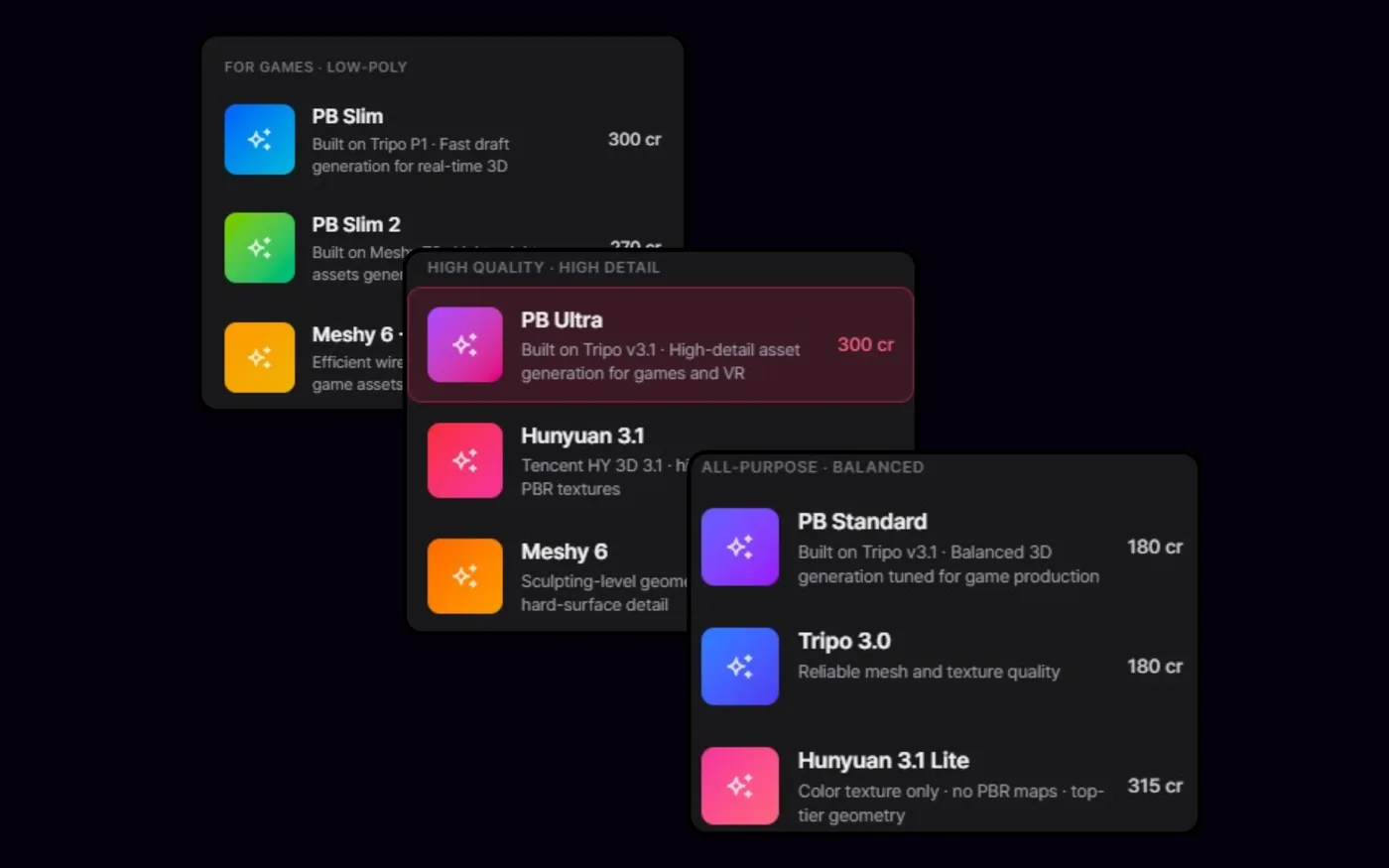
PicoBerry's engine picker grouped by need — low-poly engines like Meshy, high-detail engines built on Tripo and Hunyuan3D, and balanced engines — each with its credit cost

Multi-Model Choice

Generate on Meshy, Tripo or Hunyuan3D — per asset.

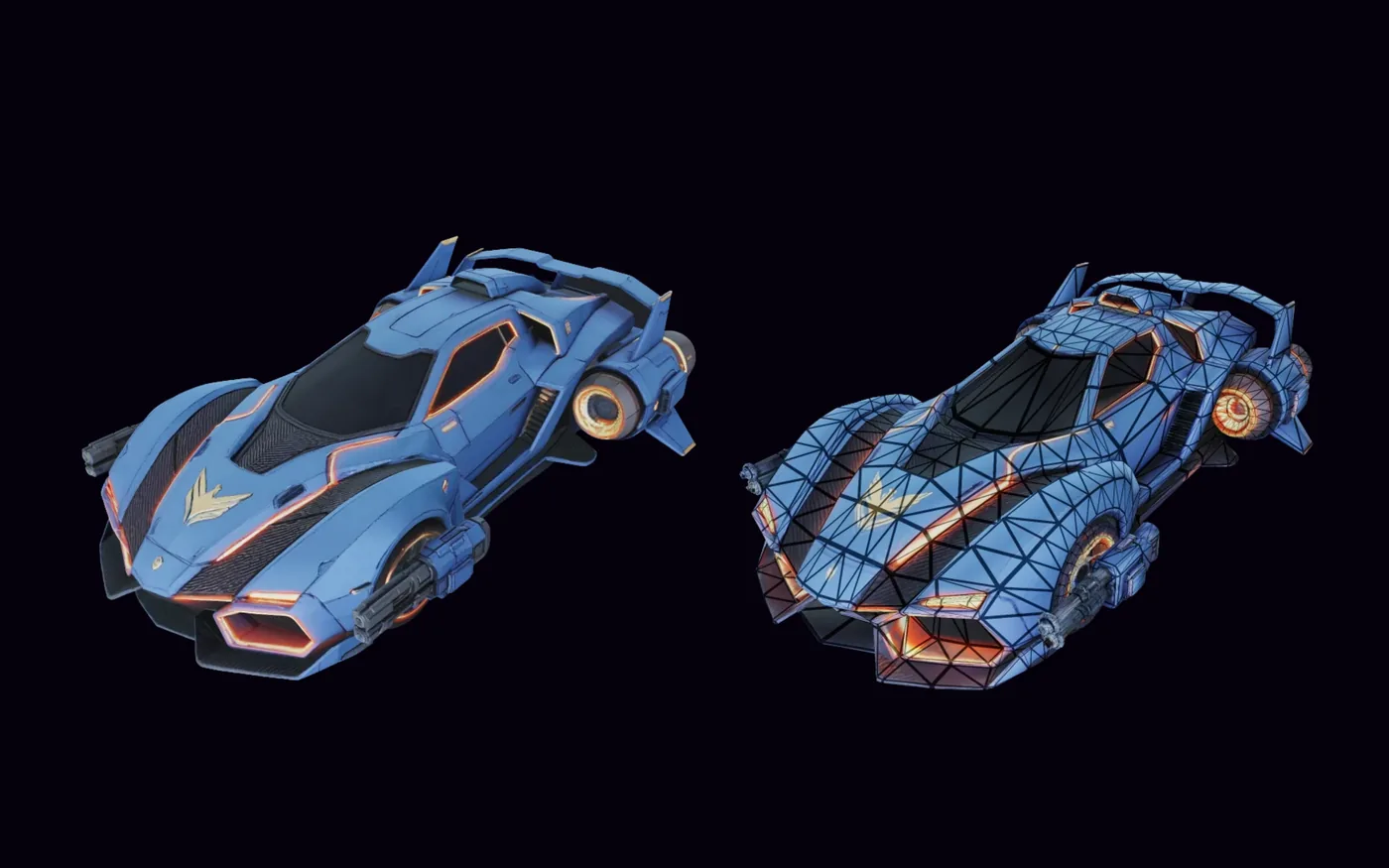
A blue-and-gold mech shown textured on the left and with its clean remeshed wireframe topology on the right, retopologized to a lower target poly count for game use

Remesh

Clean topology at a target poly count for game use.

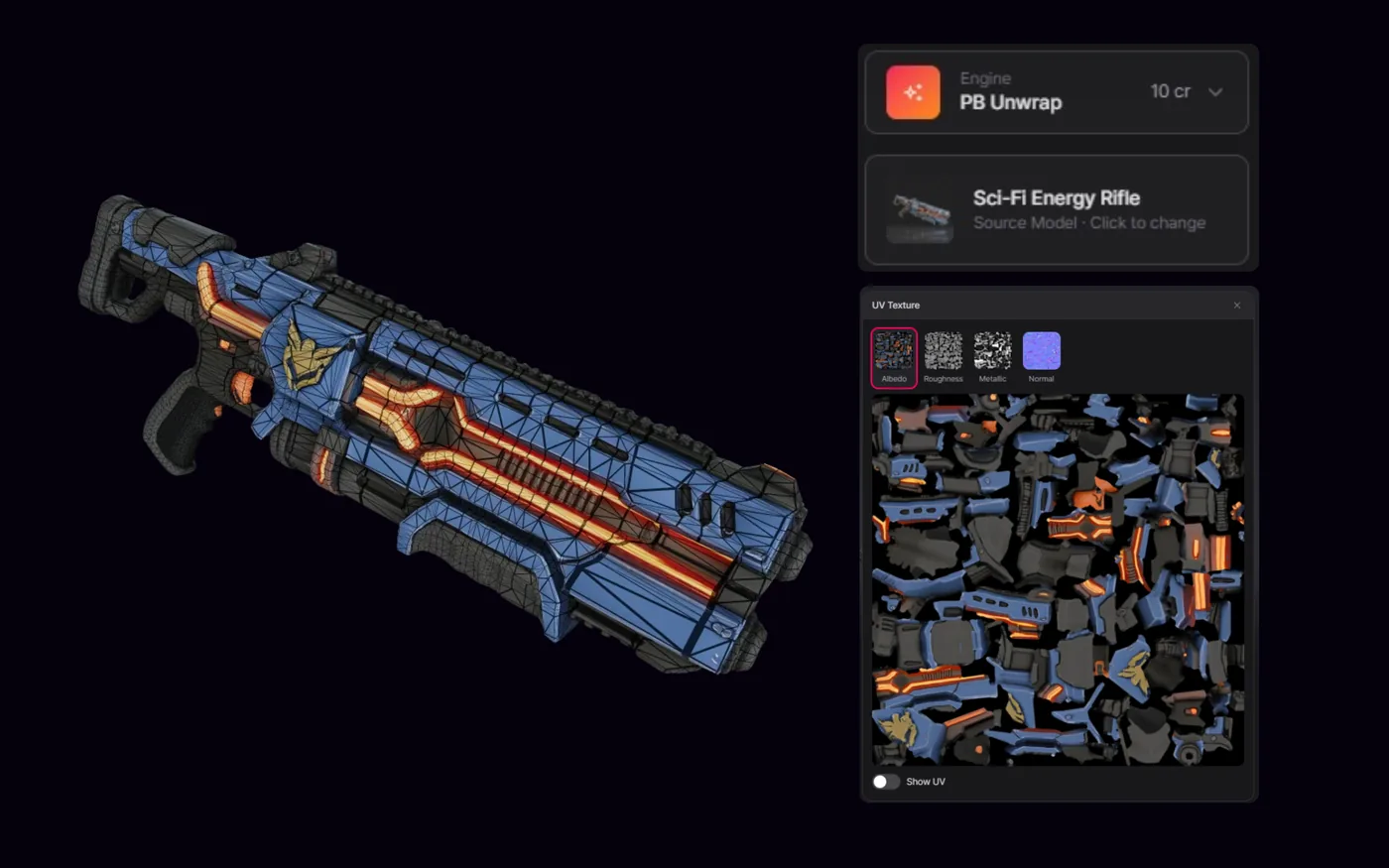
PicoBerry's PB Unwrap engine showing a fantasy elf character beside its unwrapped UV texture layout, with albedo, roughness, metallic and normal maps ready to texture

UV Unwrap

Unwrap UVs on the generated mesh, ready to texture.

PicoBerry's DCC Bridge panel listing Unity auto-synced via UModeler X, with Blender, Unreal and Godot ready to install, beside a finished game asset

DCC Bridge

One-click send to Unity, Blender, Unreal or Godot.

Frequently Asked Questions

Does PicoBerry replace Meshy, or include it?
Include it. Meshy is one of the engines you can select per generation inside PicoBerry, alongside Tripo and Hunyuan3D. So moving to PicoBerry isn't a bet against Meshy's models — it's keeping them and adding two more engines, image generation, and the refine-and-export loop on one subscription.
If I switch, do I lose Meshy's animations?
No. PicoBerry includes Meshy as one of its animation engines — auto-rig a character and apply preset motions right inside PicoBerry, on the Meshy or Tripo engine — so switching doesn't cost you the animation step. (Meshy-engine animation runs on paid plans; the Free plan auto-rigs and animates on the Tripo engine.)
Is PicoBerry cheaper than Meshy?
Price isn't the reason to choose it. At entry level the two are roughly comparable; the difference is that one PicoBerry plan covers three engines, image generation, refine, UV and remesh, a bundled API and a free Unity editor. If you generate on a single model at high volume, that vendor can be cheaper per model — but if you want a whole pipeline, PicoBerry does more with the same spend.
Can I keep my Meshy subscription and use both?
Yes — there is no lock-in either way. Assets export as GLB, FBX or OBJ from both, so nothing traps you inside one tool. That said, most teams won't need to: with Meshy as a selectable engine inside PicoBerry, you already keep the reason you'd reach for Meshy directly.
Does the PicoBerry API cost extra, like a separate API product?
No. The async REST API (/v1) is included on all paid PicoBerry plans and draws on the same credits as the web app — one plan, one credit pool, one bill. Meshy also offers API access on its paid plans on a credit basis. The difference to check for your own use is whether you want the API metered separately from your seat or not.
What are the licensing terms compared to Meshy?
On PicoBerry paid plans, generated assets carry a full commercial license. The PicoBerry Free plan is intended for personal use, with outputs under CC BY 4.0. Check PicoBerry's Terms of Use, and Meshy's own license terms, for the current wording before you ship anything commercially.
Can I compare the two without paying?
Yes, and it is the fastest way to settle this. PicoBerry's Free plan gives 1,000 credits a month. Run the same three prompts — a stylized prop, a hard-surface object, and a character — on Meshy and on PicoBerry's cheaper engines, then judge the outputs rather than the feature table.
Which one fits a Unity team better?
PicoBerry, if the finishing work happens in the Editor. UModeler X, a Unity-native editing tool, is free on every PicoBerry plan including Free, and one-click bridges push assets into Unity, Blender, Unreal and Godot. FBX with the Unity texture preset arrives as a textured bundle with .meta files. Meshy integrates through its plugin ecosystem but does not bundle a Unity editing tool.
Same Meshy. Wider Pipeline.

Generate on Meshy and two other engines, refine and UV in place, and push straight into Unity — all in one platform. Try it free before you commit to any single vendor.

Compare all plans