A game whose 3D assets were 100% AI-generated up to the first prototype — Bloom Garden
Nothing was prepared in advance — every 3D asset was generated in PicoBerry, right up to the first playable prototype. That took about two weeks. Systems, UI and optimisation came after — and this page covers what that actually required, including the parts AI did not solve.
Can you build a real mobile game using only AI-generated 3D assets?
Bloom Garden shipped on Google Play, and every 3D asset in it — flowers, props, set dressing — was generated in PicoBerry by a developer with no illustration background. Up to the first playable prototype, nothing was prepared in advance and the assets were 100% AI-generated — about two weeks of work. Past that point the honest answer gets more specific: generating assets is one job and finishing a game is another. UI needed repeated human feedback, and props that repeat across the scene turned into a performance problem that art direction and optimisation had to solve. Generation carries the asset stage a long way; scene budget, UI and the last stretch of polish are still yours.
What is Bloom Garden?
A garden management game about growing an empty field into a thriving flower business.
Plant, grow, harvest
Plant flowers, watch the garden come back to life, and harvest what you grow.
Craft and fill orders
Turn harvested flowers into products, complete villager orders, and fund the next expansion.
Clear, repair, expand
Cut back overgrowth, repair broken machines and buildings, and push the garden outward.
How did development actually go?
From planning to release, in the order it happened.
- Team size
- 1A game developer at UModeler
- Duration
- about 4 weeks20 working days · roughly 8 hours a day
- Prototype reached
- about 2 weeksProduction, selling, upgrades, quests, cinematics
- Pre-made resources
- none3D assets generated in PicoBerry wherever possible
The goal was explicit — start with nothing prepared and carry a management sim all the way through.
So what did the other two weeks go into?
- Metrics and tracking — Wiring up the SDKs so the numbers a Google Play launch needs were actually visible.
- Holding 60 FPS — Re-cutting the polygon and texture budget so the frame rate would not collapse on budget hardware.
- UI/UX polish — Icons, spacing, alignment — the things that never land in one pass — reworked over and over.
- Testing — Running the build on real devices and clearing what was left.
Reaching a prototype was half the work. The other half was shipping it.
Planning and prototype
A proven genre was the testing ground for how far generated assets could go.
The plan was a management sim: produce, sell, reinvest to produce more, then automate. It is a genre that holds its ground on mobile, so it made sense to test the range of PicoBerry assets on top of a loop players already understand. Similar games were studied for their core loop and systems.
Nothing was prepared in advance — every prototype asset came from PicoBerry. About two weeks in there was a genuinely playable prototype with production, selling, upgrades, quests and cinematics in place.
Building the asset pipeline
Images first. Never straight to 3D.
Because every model was generated, the first challenge was the flow itself. Objects were generated as images first, matched to the concept, and only moved to 3D once the image already looked like something the game could use.
- What went wrong first — Some characters would not hold their shape from a single image. After that, those objects were generated with back and side views supplied together so the model had more than one angle to work from.
- Polygon rule — Generate low by default, and only raise the count for shapes that genuinely needed it.
Systems and UI
Logic could be delegated. UI could not.
Game systems and UI were built with a coding AI (Claude Code). The HUD in particular was built with Unity UI Toolkit, and this is where the AI was unexpectedly weak — at reading a reference image and turning a written request into the layout it described.
Even with reference images supplied, the proportions between elements never landed on the first pass, so it took repeated rounds of UI images and feedback. This still reads as a place where a person has to set the direction and spell the request out.
Release and external testing
Deferring optimisation was paid for at the very end.
SDK integration and optimisation were what bit us at the end. Development testing happened on a fairly capable device, so meshes in the thousands of polygons never surfaced as a problem.
On real hardware the cost showed up immediately, and with SDK issues landing at the same time, the work piled into the last stretch before release and external testing.
How were the 3D assets made?
The loop that produced every flower, prop and background object in the game.
Generate flower shapes
Before any mesh, generate several image candidates for the flower and compare. Flowers get collected into bouquets in game, so the two shapes have to read as the same family.
Generate the bouquet
Use the chosen flower as reference to generate the bouquet image. Colour and shape are locked here, before anything becomes 3D.
Mesh + texturing
Take the settled bouquet image into 3D in PicoBerry, generating mesh and texture together. Rather than aiming for perfect in one shot, generate, compare, pick, repeat.
Assemble in Unity
Import, place, and wire into the game systems. This is where the scene budget is actually decided.
A generated asset is a starting point you refine, not finished game content. Every prop above earned its place in the scene only after selection and correction.

① Flower candidate A
Dense clusters of small blooms on fine stems.

② Flower candidate B — chosen
A clearer flower shape. This became the reference image.

③ Bouquet image
Generated using the chosen flower as reference.

④ Mesh + texturing
The result of taking that image into mesh and texture together.
Generating low-poly assets directly with the newer model
A newer generation model applied later in the project showed a clear improvement in output quality and in low-poly generation specifically. Instead of building high and cutting down, it opened a path to generating at the target polygon count from the start — which makes this the most practically useful part of this page.
The bouquet that keeps appearing on this page is the example. It is the prop placed most often in the game, so its polygon cost hurt the most.
The first approach generated at roughly 5,000 polygons and then remeshed straight down to 1,000. Cutting that hard in one step collapsed the shape — the wrapping and ribbon collapsed and the flowers clumped into blunt masses.
The second approach set a low polygon count at the image-to-3D stage instead. The result held its shape even at low poly, and UModeler X was then used to tidy the details into something the game could use.
Generating repeatedly was not a burden. At roughly two minutes per generation, changing the polygon setting and comparing results was a realistic loop.
What did you learn about developing a game with AI?
The practical instincts someone attempting the same thing can actually take away.
One thing stood out above everything else — AI output does not land on what you wanted if your approach is “give it references and it will figure the rest out.” Style, role and structure have to be stated up front, several candidates generated and compared, and the result actually run and checked. That loop is the precondition for usable output.
Generating 3D assets
Do not generate 3D directly. Images come first.
Generate the image, then build the 3D object from that image. Keeping the image style consistent kept the 3D results looking like they belonged together, which is why it mattered to settle on one shared reference image — or one prompt line — for the whole game.
Without accounting for the hyper-casual style, the request was simply “draw a machine.” What came back was far too complex — a machine that looked like it would actually function.
Strip the mechanical detail and state the hyper-casual tone in the prompt. Reusing that prompt for the other machines — asking for role differences without working mechanisms — cut the number of revisions sharply.
Texture and style consistency
Settling on one generation model came first.
- One model Compare models, pick the one closest to the style you are after, and stay on it.
- Reference images for variance When the same model still drifted, reference images pulled it back. Instead of “a building” or “an object,” the request became “a building this character would live in,” “an object this character would use” — a fixed reference image combined with the prompt to supply context.
Working with a coding AI
Give it numbers and the code improves. UI did not work that way.
Most system development went through a coding AI. Because every mesh was generated, optimisation was mandatory.
- Optimisation — what worked Hand the profiler output to the AI verbatim, have it reason from those numbers to a cause and improve the code, then measure again to confirm. Repeat.
- UI — what did not The in-game HUD was built in UI Toolkit, and layout proportions and alignment never landed in one pass. Even with a reference image and a rough description, getting the composition asked for often meant repeating, editing USS/UXML by hand, or pointing directly at the part that was wrong.
Where a person has to look
“There are enough references, it will handle it” was the mistake.
- Role and structure first In hindsight that is exactly what went wrong with the UI. The role and structure of each element should have been made explicit before anything else.
- Runtime environment Code that looks correct algorithmically can still be a problem at runtime, once it is running inside a real Unity app on a real device. That part always came back to running it and fixing what the test showed.
If we built the same thing again
- Judge runtime performance properly at the start and set polygon and asset rules from there. This time the project ran without accurate measurement, so assets had to be fixed late and the frame rate went soft in places nobody had predicted.
- Leave real room at the end for profiling and build testing. Small background objects could only be placed late in development. A whole layer of objects that had not existed before arrived at once, and the load they added surfaced far too late.
- Generate images in batches of two to four and compare, not one at a time. AI output frequently misses on the first attempt, and this one change alone made the work noticeably easier.
How far did AI get, and where did it stop?
The useful part of this case is not the success story — it is this boundary.
What AI generation covered
- A game-sized volume of props without a dedicated artist. A developer with no illustration background could carry it.
- A prototype and an external test build that were genuinely playable.
- Fast iteration on look and feel — instead of committing to one expensive asset, generate several candidates and choose between them.
- The newer model applied later showed a clear improvement in output quality and in low-poly generation.
What still needed human hands
- UI design and layout took repeated human feedback. Intent, reference images and game context did not land accurately in one pass.
- Scene-level budget — polygons, shadows, textures, and objects that accumulate — is not something generation decides for you.
- Art direction across the stretch of quality a player actually feels.
- Performance review. A coding AI puts getting the feature on screen first, so a person — or a separate review pass — had to set the performance constraints early.
- Minimum mesh and texture edits to fit the in-game staging were done by hand in UModeler X.
What did the polygon budget teach you?
The most widely applicable lesson from this project, and how it was solved inside PicoBerry.
Repetition multiplies quietly
A single bouquet with a high polygon count looks harmless on its own. But as the game progresses and the copies pile up, that same asset is drawing hundreds of thousands of polygons at once. What got worse was not the asset — it was the scene.
Generate low, rather than remesh down
Building high and cutting down with a remesh risks destroying the shape, and the time it takes swings unpredictably. What settled it was the newer generation model built for low-poly meshes: generating low from the start cut polygons to under a tenth of the previous count while holding the shape, and read better than the build-then-remesh path.
Small on screen can be drawn cheaply
Objects that repeat small on screen do not need their full 3D complexity. Compare texture-based treatment, simpler meshes, or a billboard swap before insisting on the precise version.
Set the budget before you build
Optimisation slid to the deadline, which left too little room to tune shadows, textures and accumulated objects. The fix is to set polygon and performance budgets at kick-off and to place profiling in the middle of the schedule, not at the end.
Measurements were taken on a budget Android device, a Galaxy A16 (2340×1080). Before the work, some scenes dropped to 10–30 FPS; after the changes below it held 60 FPS.
| Target | Before | After |
|---|---|---|
| 36 bouquets in storage | about 400,000 polygons | about 18,000 polygons |
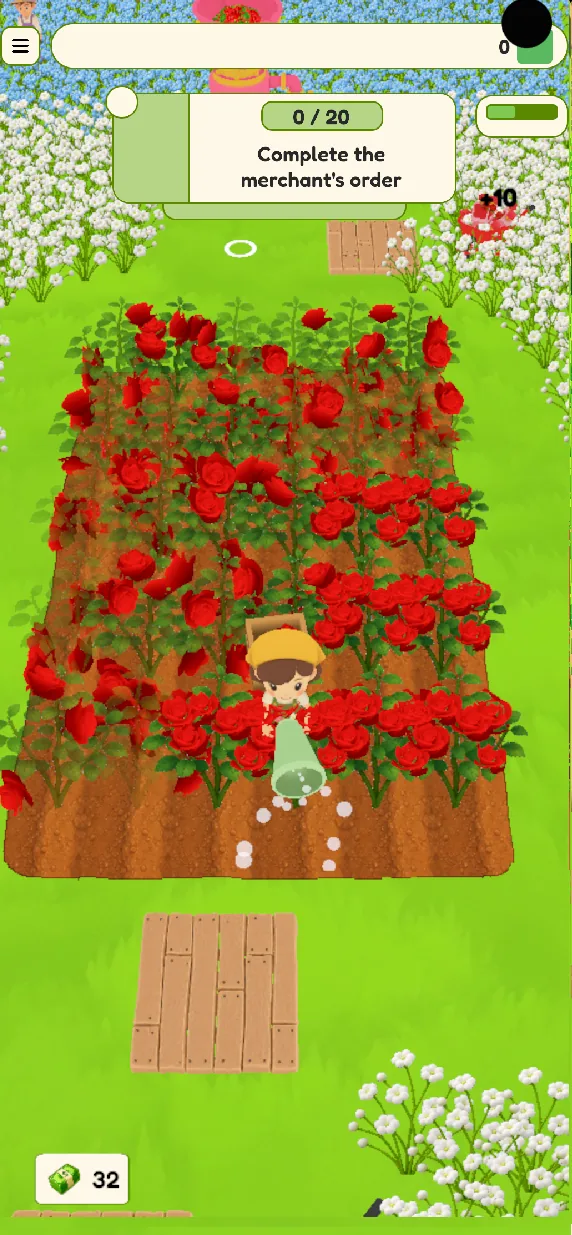
| Rose field growth + harvest (25×6 = 150 roses) | about 750,000 polygons | about 75,000 polygons |
| Textures (merged into a color palette) | dozens at 2048 | one at 512 |
The same object multiplies its polygon cost once dozens or hundreds of them stack up in a scene. Cutting per-asset polygons and merging many textures into a single color palette settled the frame rate even on a budget device.
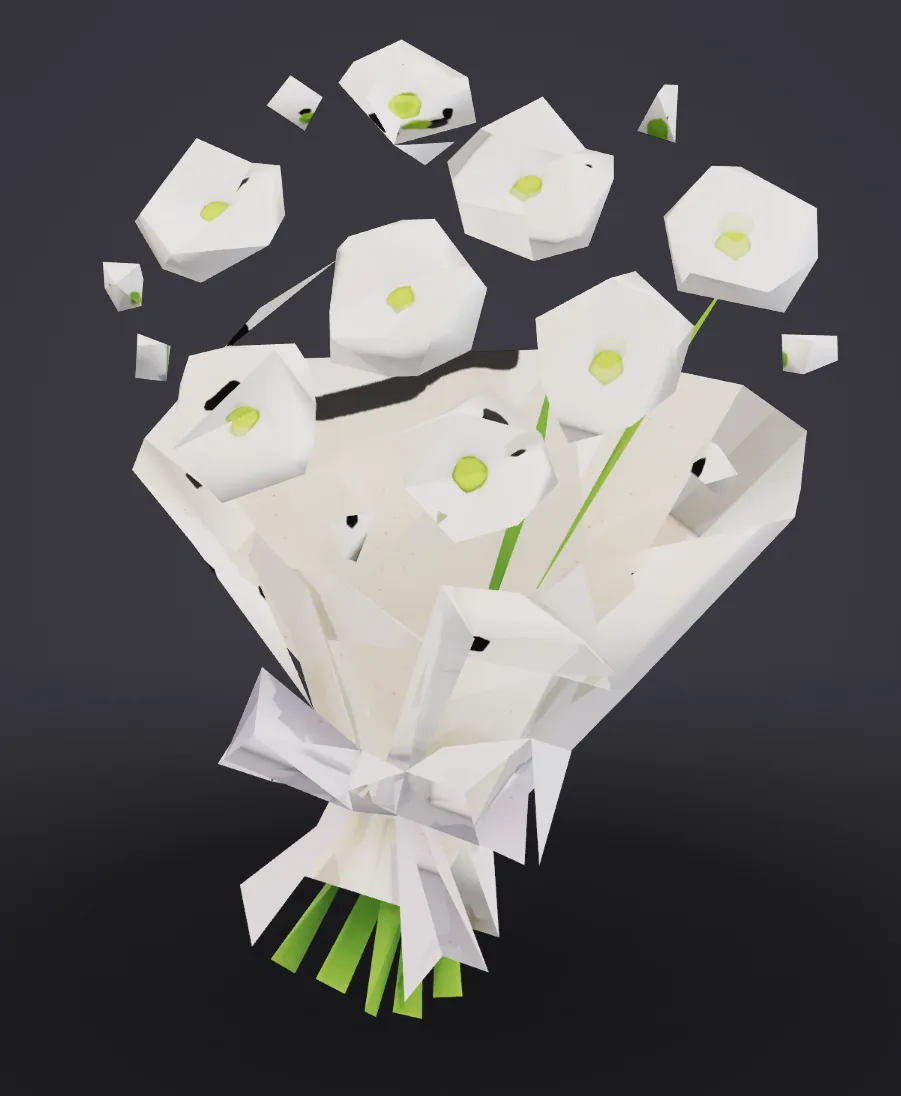
① Remeshing down — the first approach
Remeshing a roughly 5,000-polygon model straight to 1,000 collapsed the wrapping and the flower shapes.

② Generated low from the start
Setting a low polygon count at the image-to-3D stage held the shape even at low poly.

③ Tidied in UModeler X
The generated result was finished into a usable shape in UModeler X.
What did the work look like in the editor?
Placing generated assets into the Unity scene and wiring them into systems — the part that took human hands.
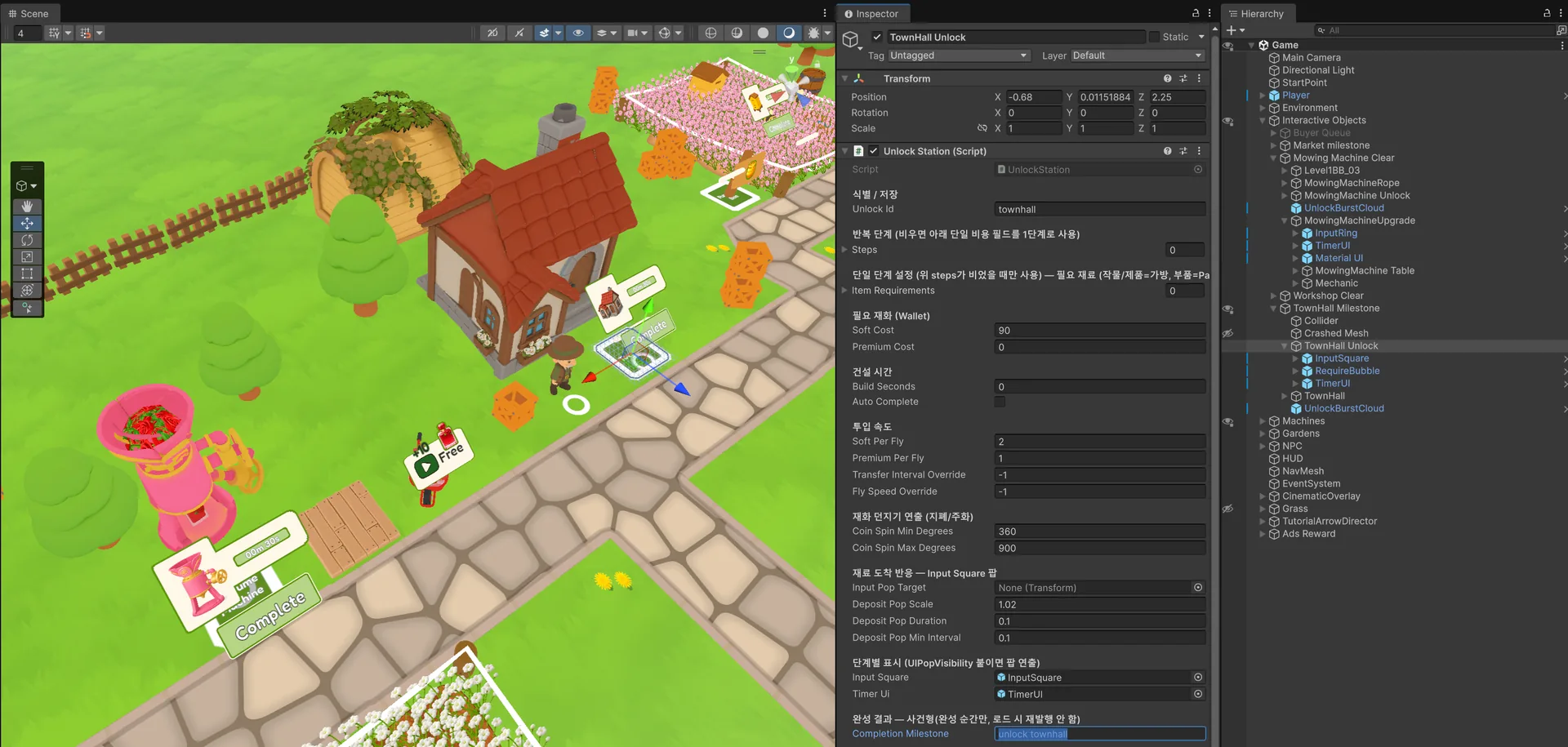
Working in the editor
Wiring inspector values for the town-hall objects in the Unity editor.
What does it look like running?
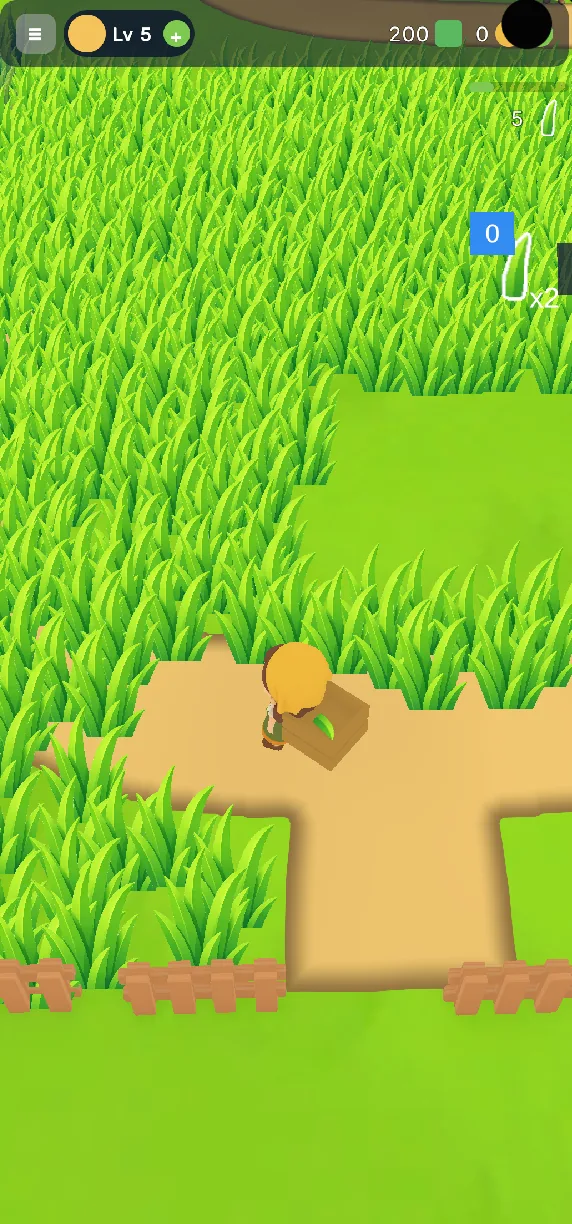
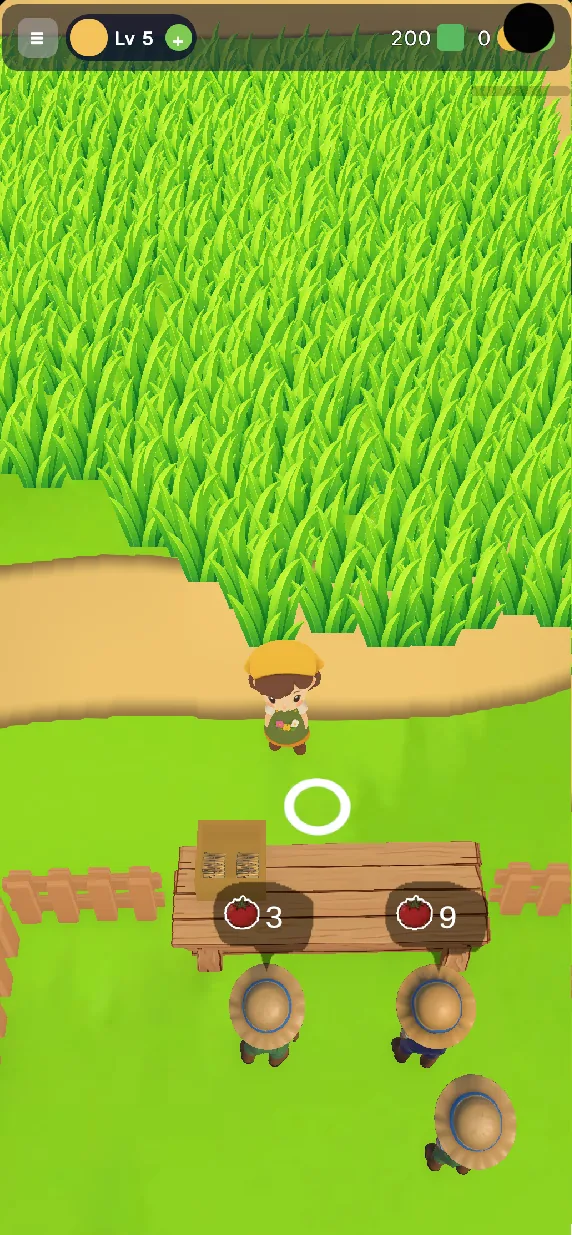
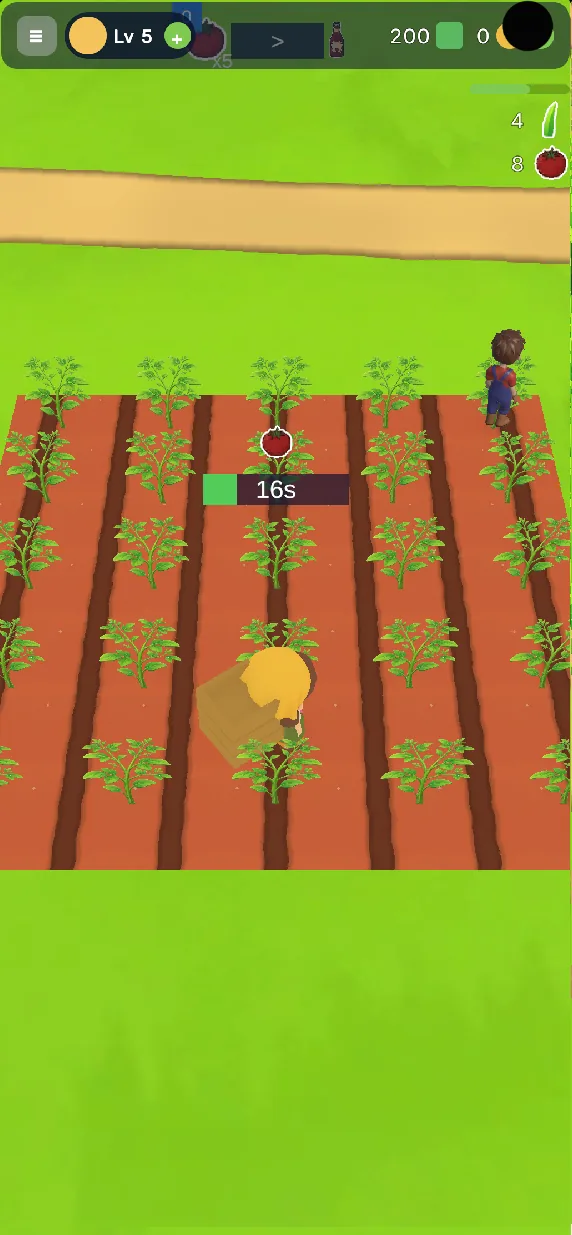
Gameplay from the shipped build. The generated assets running as they are in Unity.
- 0:00 Collecting flowers from the harvester and carrying a crate
- 0:05 Walking the crate through the white flower field
- 0:10 Feeding 80 flowers into the processing machine (2 s timer)
- 0:15 The pink machine turns flowers into bottled goods, then sowing a plowed field
- 0:20 Harvesting the pink field into a crate
- 0:25 Crate reads “Full” — planting seeds in rows
- 0:00 Rose field with the tutorial line — picking roses one by one (+1)
- 0:05 Serving villagers at the counter (orders for roses and potions), “Hire Worker” for 50
- 0:10 Hiring a worker beside the house
- 0:15 Carrying bottles and stacking roses on a pallet
- 0:20 The pink machine turns roses into potions (3 of 5)
- 0:25 Selling to the queue and collecting coins
Sources and measurement conditions
Where each number on this page comes from, and what was not independently re-measured.
- Credits, images, models
- PicoBerry usage ledger of the developer's account for the project window, Apr 30 – Jun 8, 2026, re-read on Sep 12, 2026: 629 charged operations · 82,380 credits · 153 image-to-3D runs (46,270 credits) · 418 image-generation requests, 425 image files (32,810 credits) · 1 text-to-3D · 57 post-processing operations. The 82,280 / 514 images quoted at publication were the developer's own tally; the ledger figures above supersede them.
- Engine and settings
- 153 of the 154 models were generated with PB Slim (Tripo) via image-to-3D, standard texture, polygon target set low per asset (see the bouquet story above); one text-to-3D run on PB Standard.
- FPS and polygon counts
- Reported by the developer from the shipped build on a Galaxy A16 (2340×1080) during the optimisation pass in May 2026 — before/after scene polygon totals and frame rate. Not independently re-measured by the PicoBerry team.
- Timeline and team
- One developer, about 20 working days, first playable prototype in about two weeks — self-reported; the ledger's active generation days (Apr 30 – Jun 8) are consistent with it.
- Videos
- Captured from the shipped Google Play build; each gameplay clip lists what happens at 5-second marks. Editor clips show the Unity project as it was during development.
Review log: Sep 12, 2026 — figures re-derived from the account ledger and this section added; Aug 20, 2026 — published.
Frequently asked questions
What is Bloom Garden?
A garden management game on Google Play, developed by UModeler. You plant and harvest flowers, turn them into the products villagers order, clear overgrowth, repair facilities, and expand the garden. The 3D assets were generated in PicoBerry and the game itself was built in Unity.
Which PicoBerry features were used for the assets?
Image generation to settle the reference impression, 3D model generation from those images, and texturing of the result. Later in the project a newer model with better low-poly output was used as well.
How many credits did it take to make all the assets?
82,380 credits on the account ledger for the project window (the developer’s tally at publication was 82,280) — but do not read that as a quote. It covers everything generated, not just what shipped: 418 image-generation requests (425 images) and 153 image-to-3D runs, almost three images per model. That number is the cost of the very method this page keeps recommending, which is to generate several and compare rather than aiming for perfect in one shot. For scale: one developer covered every 3D asset a game needed, over about a month, inside a single subscription month. It was a first pass at the pipeline, so the trial-and-error share was large; a second run would come in lower.
Did AI make the whole game?
No. What PicoBerry produced was the 3D assets. The systems, UI, scene assembly and performance work were done by hand in Unity. Reading generated output as finished game content is reading this case wrong.
Do you need to be an artist to work this way?
Not to reach a prototype or a test build. A developer with no illustration background produced a game-sized volume of props this way. Across the stretch of quality a player actually feels, though, art direction was needed. It lowers the barrier to entry; it does not remove judgement and review.
How do you keep AI-generated assets from tanking performance?
Set the polygon budget before you generate, not after. Forcing a high-poly result down with a remesh can distort the shape, so it is better to generate at the target count or use a model with good low-poly output. And objects that repeat have to be treated as a scene problem — screen coverage, quantity, shadows, textures and LOD or billboard swaps have to be designed together.
Can you not just remesh high-poly assets down?
Sometimes, but it was hard to rely on in this project. Large reductions risked losing the silhouette, and the time it took swung too much to schedule around. Generating at the target density from the start was more efficient.
What would you do differently on the next project?
Set performance and asset rules at kick-off, and place profiling and build testing in the middle of the schedule rather than at the end. Reserve independent time for pre-release optimisation and QA, and review UI and gameplay code for update cost and performance, not only for what appears on screen.
Your game assets, the same way
Generate 3D models from text or images, refine them, and export to the engine you use.