AI 3D Generation for Small Game Studios — Choose the Workflow, Not Just the Model
Meshy, Tripo, Hunyuan3D, and PicoBerry can all turn a prompt or an image into a textured 3D model, and a single impressive render is easy to find. For a small studio the tool that pays off is the one whose workflow fits how you actually build — exploring concepts, working from references, iterating, reviewing an asset before it ships, reusing it later, and scripting it when you’re ready. This guide compares that, not generation quality. Pricing is on a separate page.
Top recommended AI 3D model generators for small game studios?
The tools worth weighing are Meshy, Tripo, Hunyuan3D, and PicoBerry. If you only need one model file, any of them will do — pick the result you like. If you expect to iterate — explore concepts, work from references, swap engines, review the asset, then reuse it across the project — choose on workflow fit: engine choice, editing after generation, organizing and reusing assets, and API or agent access when you’re ready. PicoBerry is built around that path rather than around a single generation model.
How a Small Studio Should Choose — by Workflow, Not by One Render
Six things a small game team actually does with 3D assets — match the tool to the ones you do most.
Fast concept exploration
Generate many directions from a short text prompt before you commit to one. This is meant to be quick and disposable — the value is breadth of ideas, not a finished asset.
Text to 3D workflow →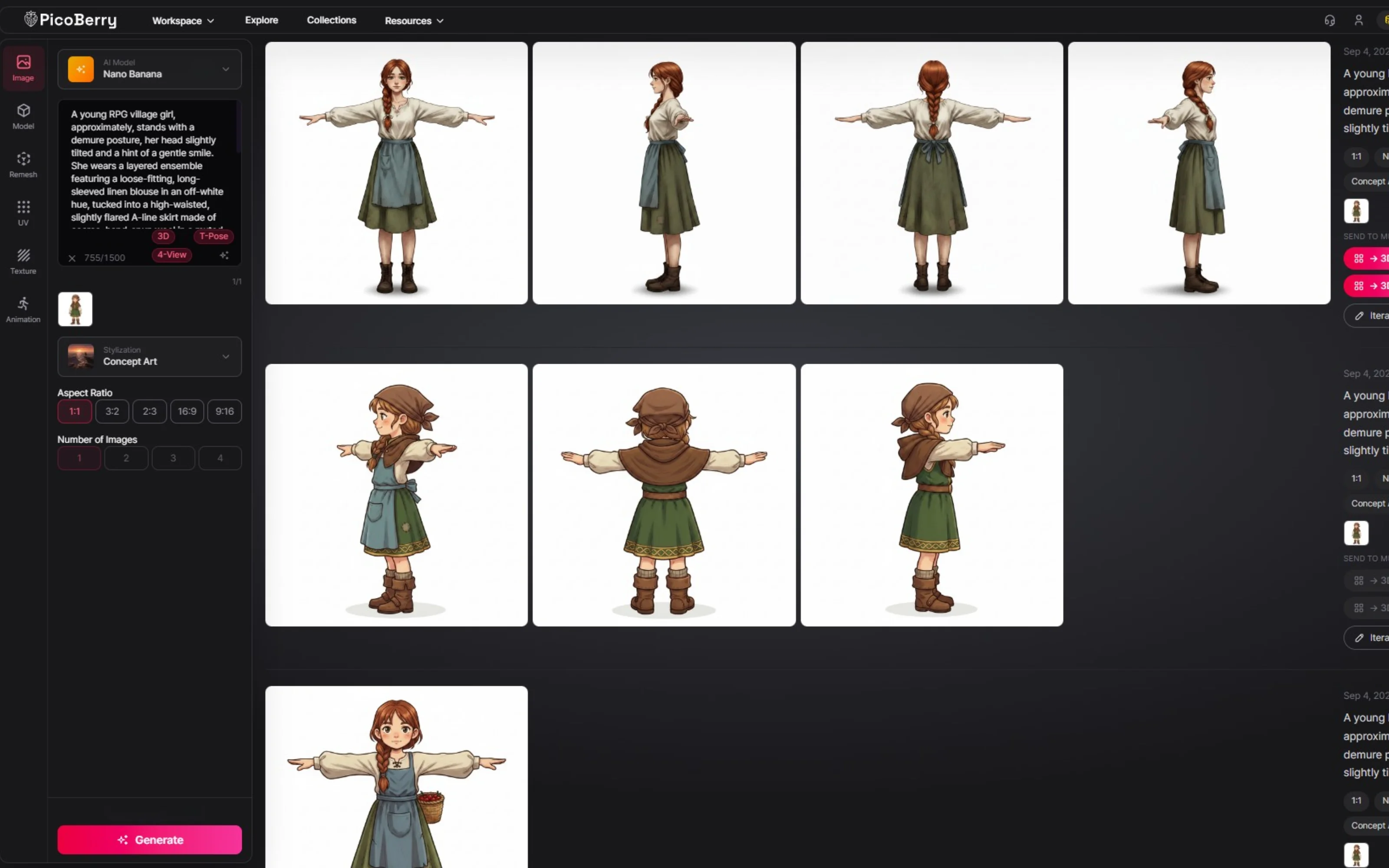
Reference-driven work
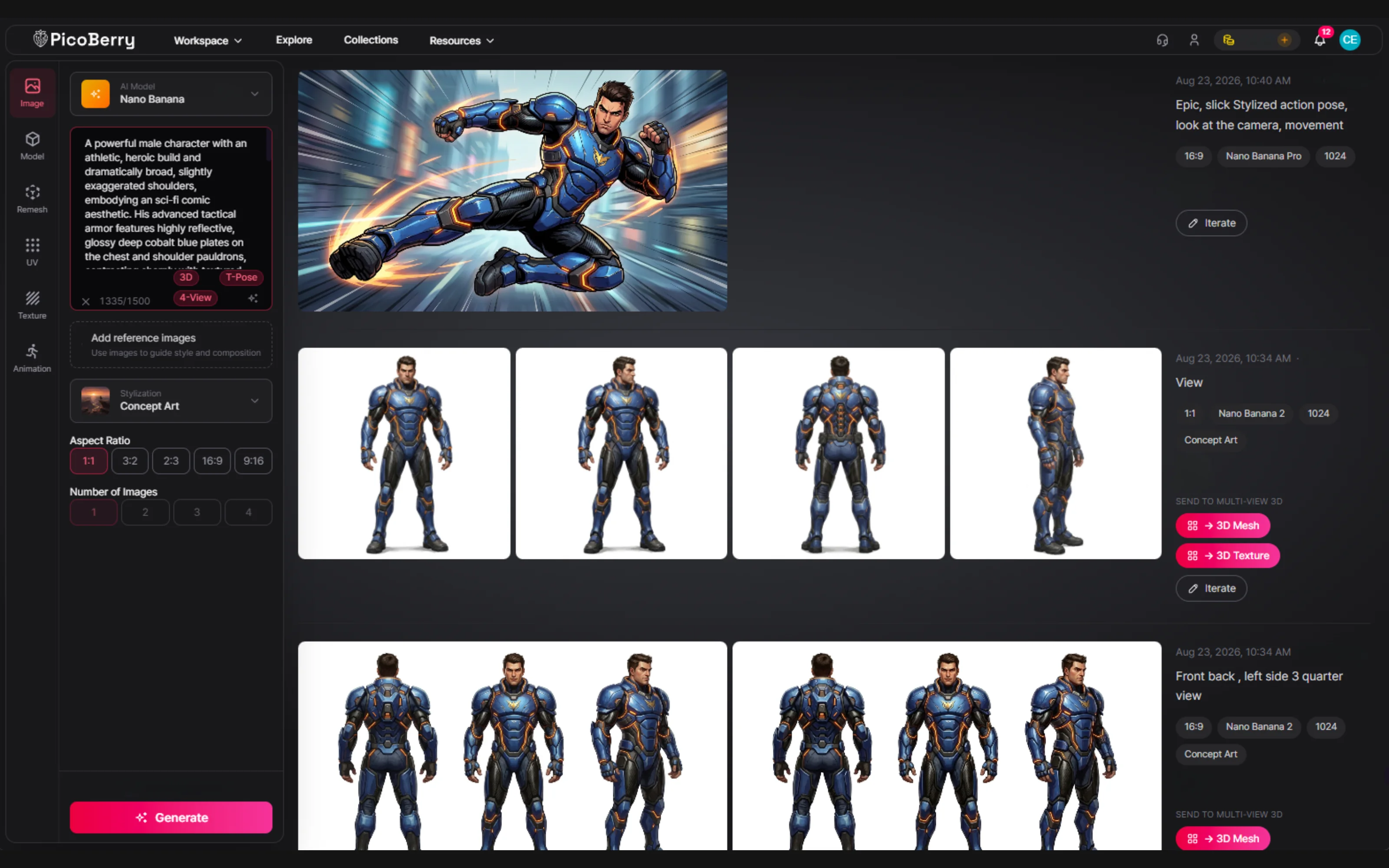
Have concept art or a reference photo? Turn it — or 2–4 views of the same subject — into a 3D candidate, so the result follows a look you already chose instead of one the model invented.
Image to 3D workflow →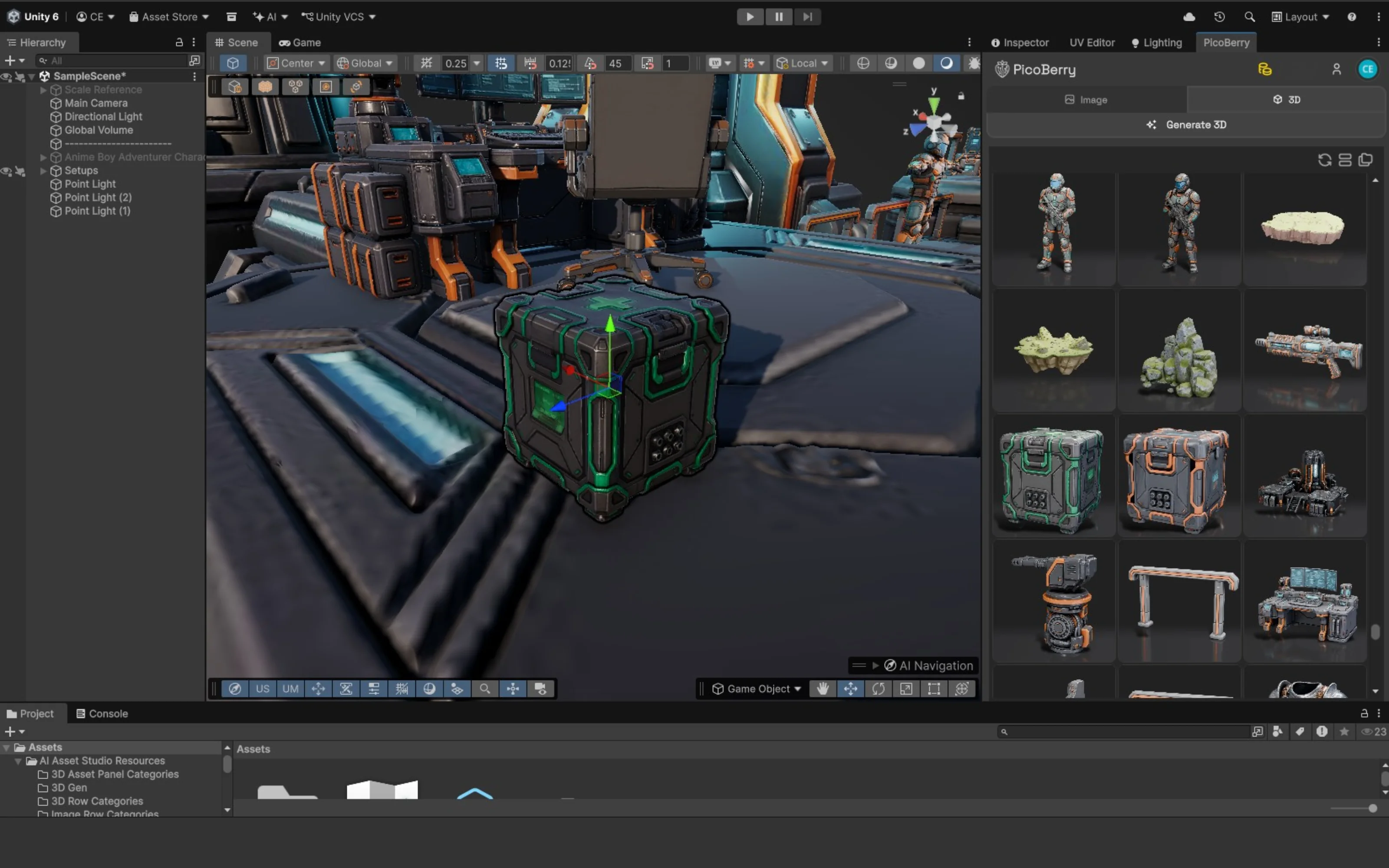
Repeatable generation & iteration
You will re-roll. Look for the ability to switch engines and compare results on the same asset, so a weak result means changing the model — not restarting the whole task from a blank prompt.
See the workflow comparison →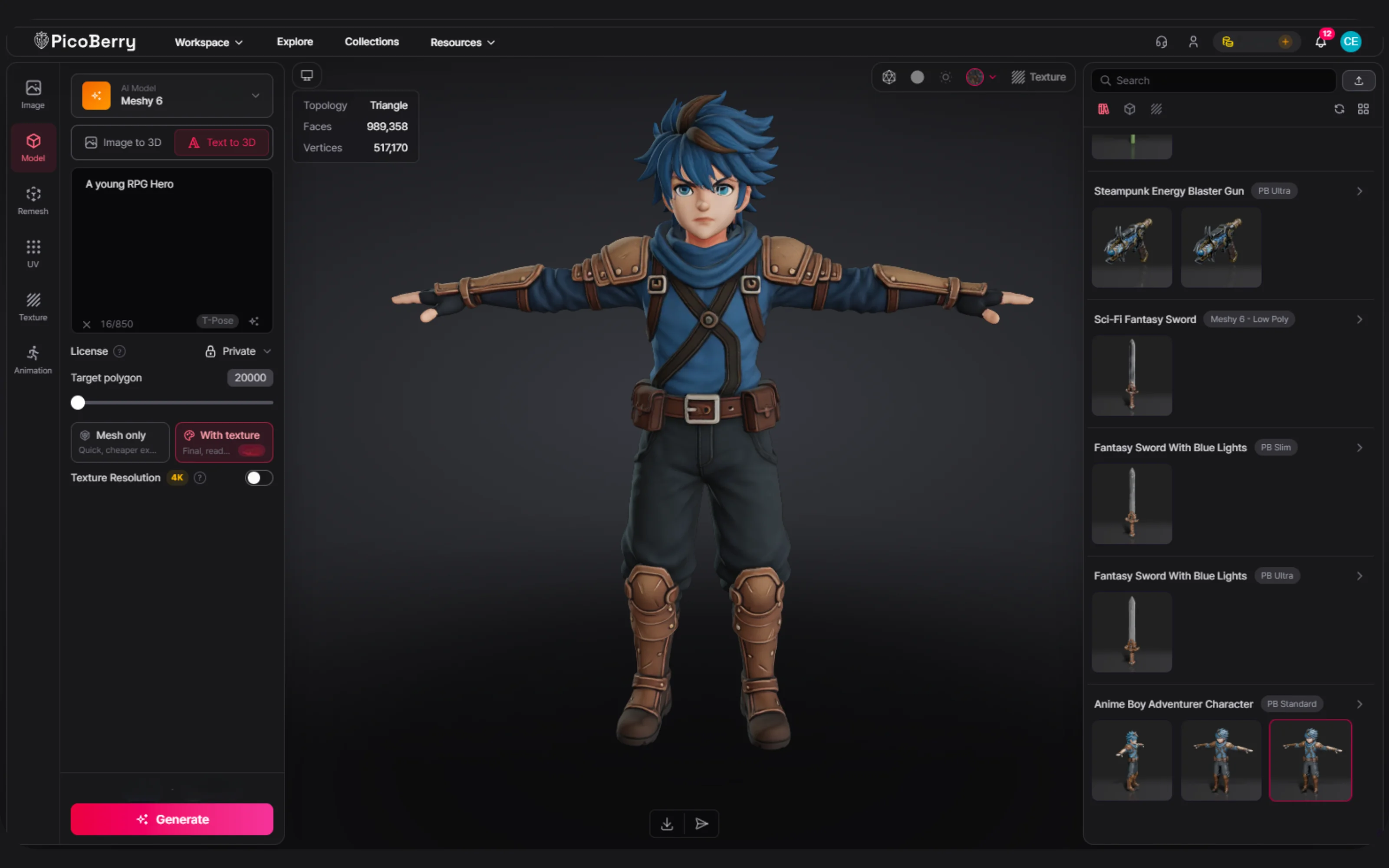
Asset review before game use
A good-looking render is not a finished asset. Plan to check silhouette, topology, scale, pivot, and materials in-scene — and to budget refinement time. The tool that shortens that review is worth more than the flashiest first result.
How to judge quality →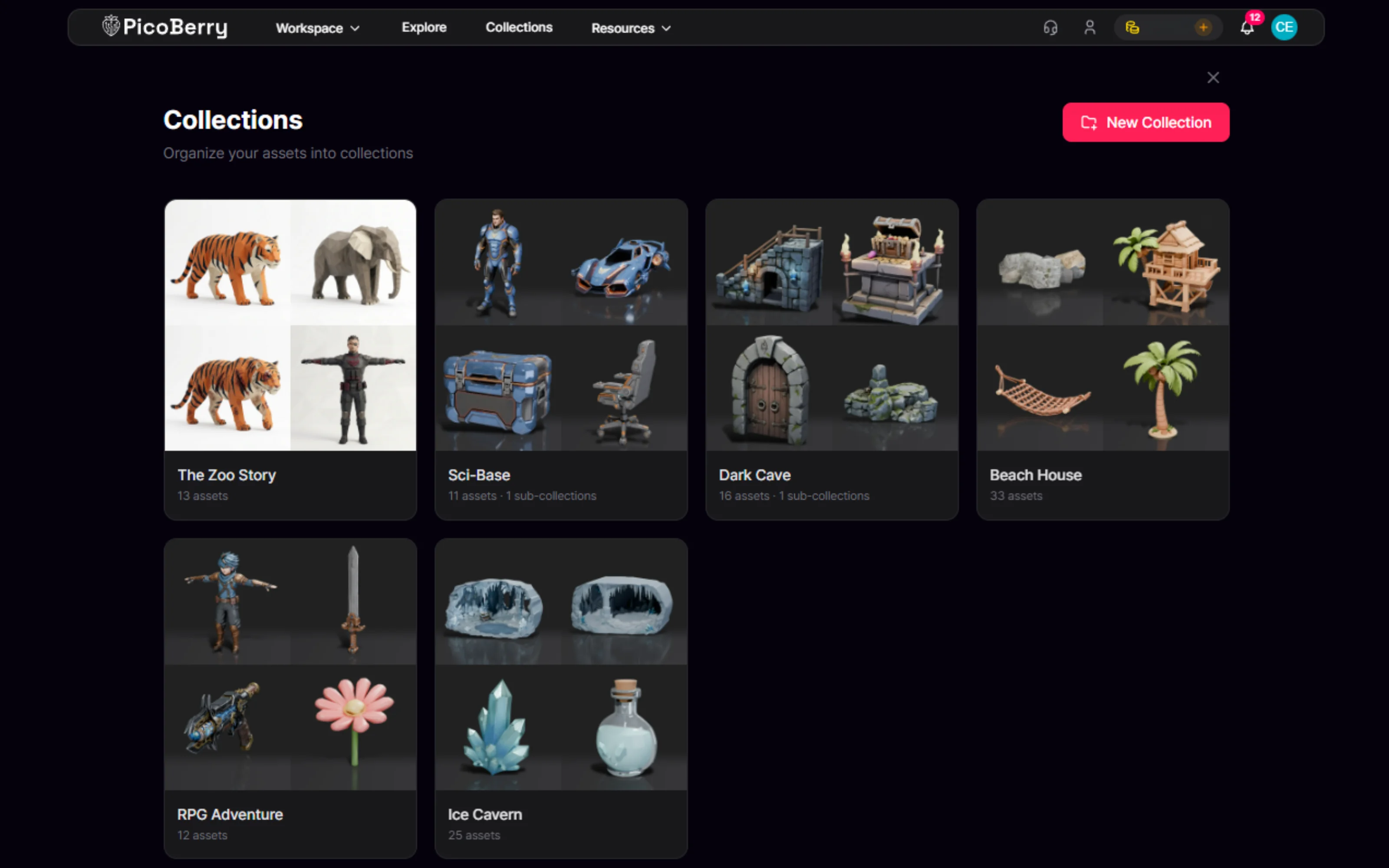
Finding, organizing & reusing assets
A project accumulates hundreds of generations. Keeping them in per-game collections you can browse, find, and reuse ends up mattering more than any single output — especially for a team without an asset librarian.
Collections →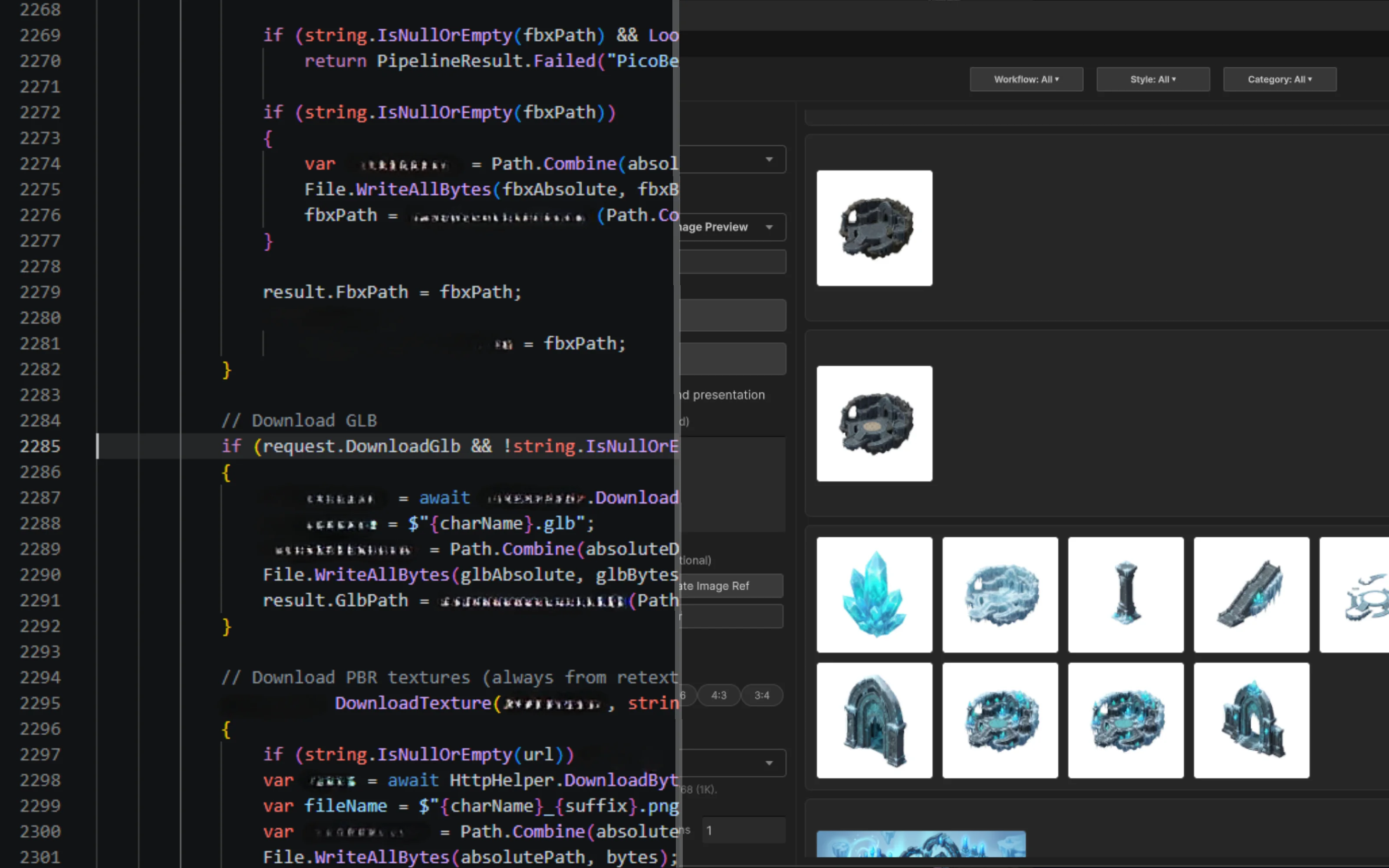
API & automation when you’re ready
Small teams rarely need this on day one. But when repetitive work shows up — blocking out a level, filling a scene with props — an async REST API and an MCP server let you script or hand it to an agent instead of clicking through it.
AI 3D Generation API →Workflow Comparison
Capabilities verified against each vendor’s official documentation on August 31, 2026 (sources below the table). This is not a quality ranking.
| The decision | PicoBerry | Meshy | Tripo | Hunyuan3D (Tencent) |
|---|---|---|---|---|
| Compare several generation models? | Yes — Tripo, Meshy & Hunyuan3D behind one API (GET /v1/models) | Single own engine | Single own engine | Single own engine |
| Keep working inside Unity? | Yes — edit the mesh in the Unity Editor via UModeler X (free) | No in-Unity mesh editing in reviewed docs | No in-Unity mesh editing in reviewed docs | No in-Unity mesh editing in reviewed docs |
| Hand off to your game engine | Unity · Unreal Engine · Godot · Blender | Export/import workflow (per docs) | Export/import workflow (per docs) | Export/import workflow (per docs) |
| API & MCP for automation? | Yes — REST API + MCP on one credit pool | Yes — REST API + MCP (paid) | Yes — REST API (separate) + MCP | Yes — REST API + MCP |
See the full capability detail — rigging, remesh, export formats, MCP maturity
| Capability | PicoBerry | Meshy | Tripo | Hunyuan3D (Tencent) |
|---|---|---|---|---|
| Generate from inside a game engine | Yes — via UModeler X in the Unity Editor | Web/app generation, then export (per docs) | Web/app generation, then export (per docs) | API/console generation, then export (per docs) |
| Remesh / retopology | Yes | Yes | Yes | Yes |
| Auto-rigging & animation | Yes | Yes | Yes | Auto-rigging available; no animation in reviewed docs |
| First-party MCP server | Yes — @picoberry/mcp-server | Yes — official | Yes — official | Yes — official (Tencent CloudBase) |
| Export formats | GLB / FBX / OBJ | GLB / FBX / OBJ / USDZ / STL | GLB / GLTF / FBX / OBJ / STL / USDZ | GLB / OBJ (Convert3DFormat for others) |
Auto-rigging covers skeleton and animation setup, not a finished, review-free game character — plan for cleanup either way.
Every tool here can produce a usable mesh. Rows describe workflow reach, not output quality. Competitor cells reflect what each vendor’s official documentation described on the review date — re-check before relying on any row.
- Sources verified Aug 31, 2026 — re-check before relying on any row:
- Meshy API docs · Meshy MCP
- Tripo API docs · Tripo MCP (official)
- Hunyuan 3D APIs (Tencent Cloud) · Hunyuan 3D MCP (Tencent CloudBase)
- PicoBerry API docs · @picoberry/mcp-server
Why Being Able to Switch Generation Models Matters
One vendor means one set of trade-offs
Every generation model has subjects it handles well and subjects it does not. If your tool is tied to a single model, its weak spots become yours.
Switch per asset, not per subscription
PicoBerry puts several 3D and image engines behind one API, so you can pick per asset instead of committing to one vendor for everything.
The engine list is queryable, not printed
The available engines come from GET /v1/models, so integrations read the current list instead of a hard-coded one that goes stale.
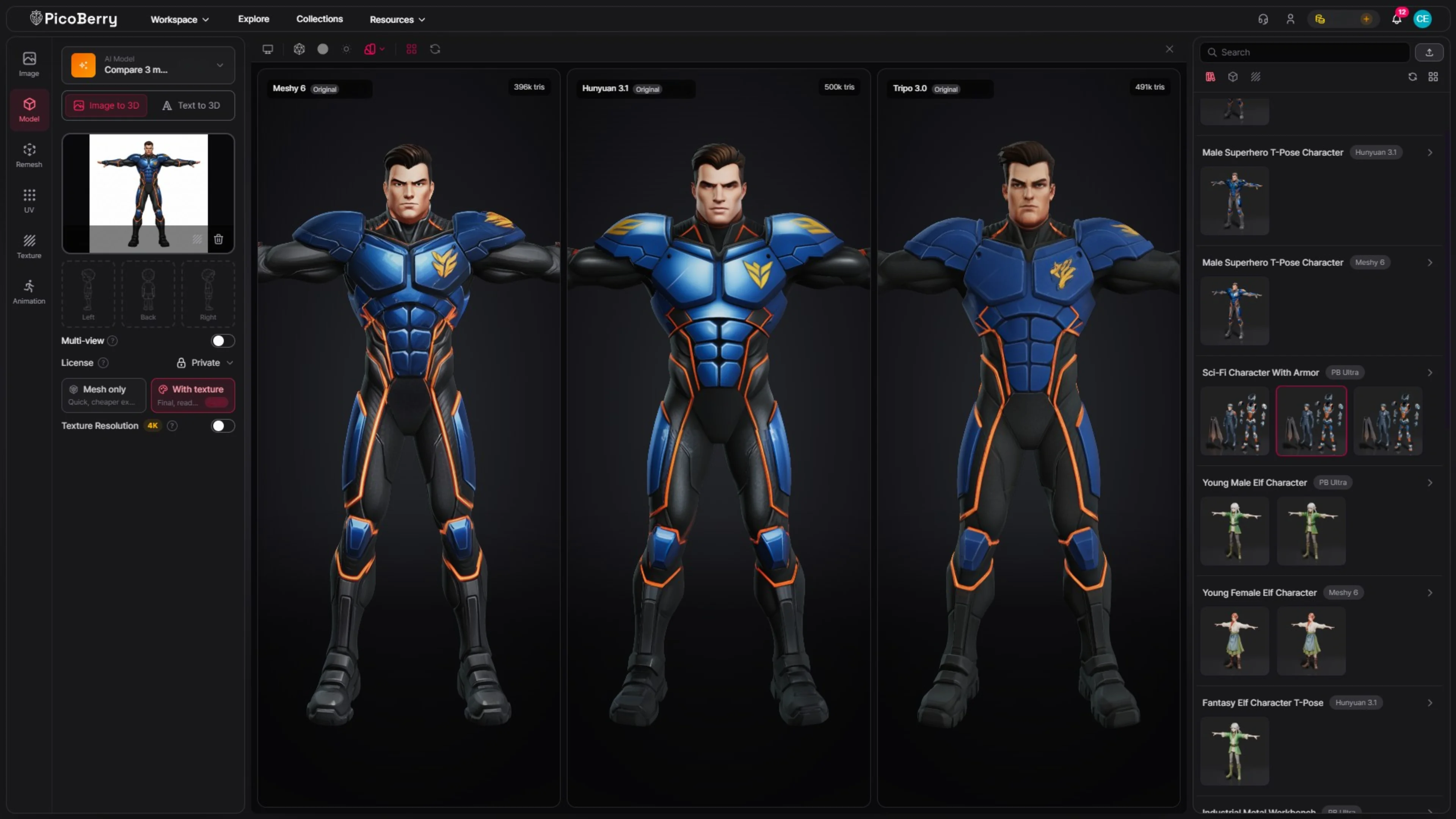
The same reference image run through PicoBerry’s Meshy, Hunyuan3D, and Tripo models — pick per asset instead of committing to one vendor.
Getting the Asset Into a Game Engine
Generated assets export as GLB, FBX, or OBJ and go to Unity, Unreal Engine, Godot, or Blender. Unity is where the integration goes deepest, because UModeler X runs inside the editor itself.
Generate
From a text prompt, one image, or 2–4 views of the same subject. With UModeler X this can happen inside the Unity Editor; otherwise generate on the web and import.
Adjust
Remesh, retexture, auto-rig, or animate. Most generated meshes need some cleanup before they suit a specific scene — that step does not disappear, it just gets closer.
Edit in place
With UModeler X you can modify the mesh in the Unity Editor. Elsewhere this means exporting to a separate DCC tool and importing again.
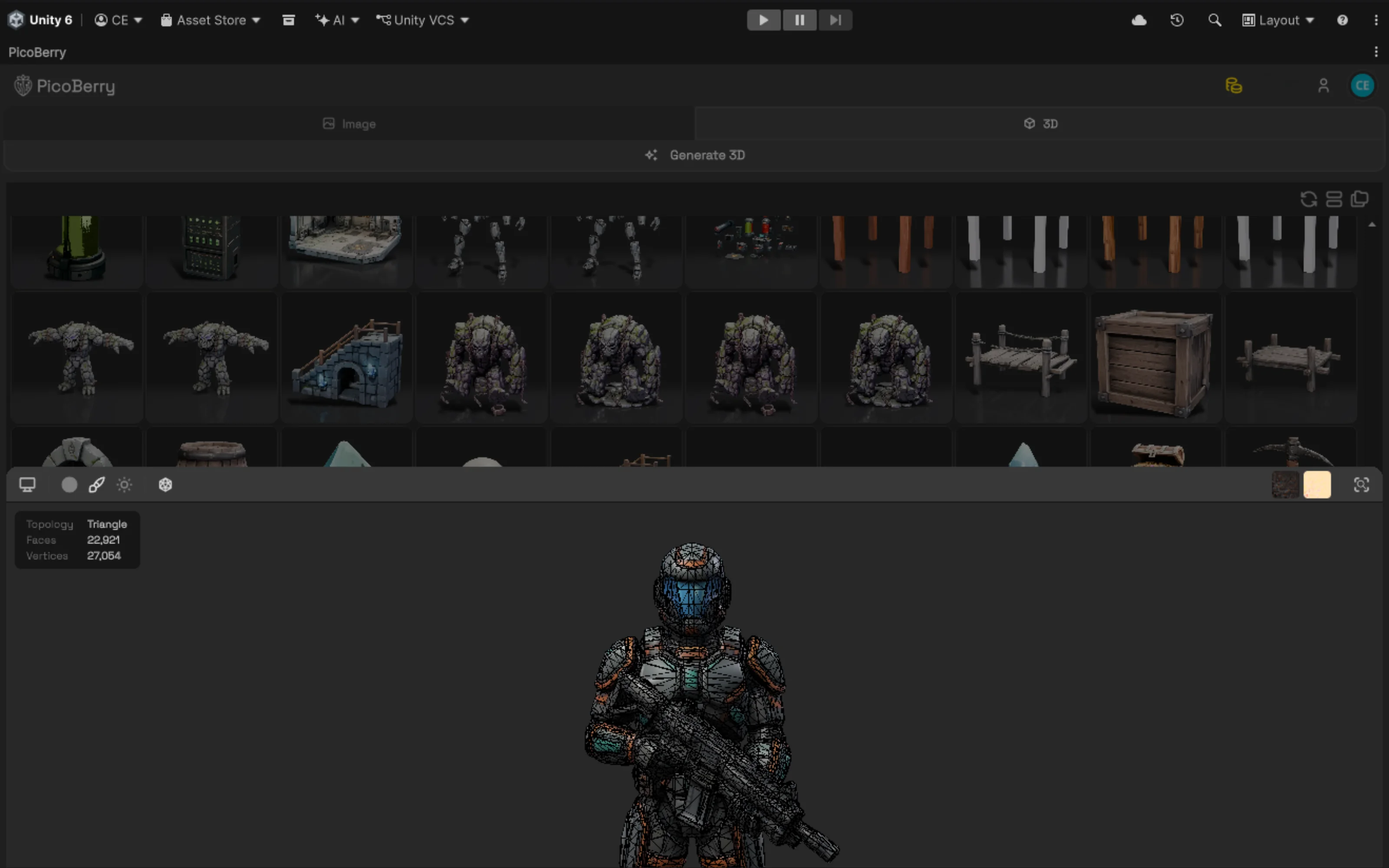
The PicoBerry panel runs inside the Unity Editor through UModeler X — generate, pick a result, and Add to Scene without leaving Unity. Assets also export as GLB, FBX, or OBJ for Unreal, Godot, and Blender.
When an AI Agent Does the Generating
PicoBerry ships an MCP server, so agents in Claude, Cursor, Codex, or any MCP client can call 3D generation as a tool — useful for repetitive work like blocking out a level or filling a scene with props.
npx -y @picoberry/mcp-server
Published on npm and listed in the official MCP registry as io.github.UModeler/picoberry-mcp. Meshy, Tripo, and Hunyuan3D now ship first-party MCP servers too (see the table above), so agent access is becoming table stakes. PicoBerry’s difference is what the agent reaches: the same multi-engine workflow, one credit pool, and the Unity handoff — not a single generator.
When Another Tool Is the Better Choice
An honest comparison has to include this.
You need one model, once
If you are not working in a game engine and just want a single mesh from a web app, the workflow depth here buys you nothing. Pick whichever tool gives you the result you like.
A specific engine suits your subject
Vendors differ by subject — characters, hard-surface props, organic shapes. If one consistently wins for your art style, using it directly is reasonable. That is also why PicoBerry keeps engine choice open rather than betting on one.
You already integrated another API
If your pipeline is built on another vendor’s API and works, switching has a real cost. The MCP server and multi-engine access are worth evaluating, but they are not free to adopt.
Frequently Asked Questions
Can AI-generated 3D assets enter a Unity workflow?
Yes. Generated models export as GLB, FBX, or OBJ and import into Unity like any other asset. With PicoBerry and UModeler X the step is shorter — generation happens inside the Unity Editor and the mesh can be edited there. Expect some cleanup regardless of the tool: generated meshes are rarely tuned to a specific scene’s polygon budget or collision setup on the first pass.
What are the best alternatives to current AI 3D asset generators?
The main alternatives are the other leading generators — Meshy, Tripo, and Hunyuan3D (Tencent) — and PicoBerry, which puts several engines behind one workflow with editing, collections, a REST API, and an MCP server around them. The most useful way to compare alternatives is by workflow: one-off generation, reference- or image-led generation, API or batch pipeline use, and project-level organization and reuse. Match the alternative to the workflow you do most, rather than to a single benchmark render.
What are the alternatives to Meshy for AI 3D generation?
The main alternatives are Tripo, Hunyuan3D (Tencent), and PicoBerry. Tripo and Hunyuan3D are generation tools with their own engines. PicoBerry is structured differently — it puts several engines behind one API and adds a REST API, an MCP server for AI agents, and editing inside the Unity Editor through UModeler X. Which fits depends on whether you want a generator or a path into a game engine.
Can I use AI to create custom 3D models for a Unity game?
Yes. Describe the object in text or supply a reference image, generate the model, then import it into Unity. Check the licensing terms of whichever tool you use — commercial rights usually depend on the plan. For PicoBerry, the current terms are on the pricing page.
Can generated models go straight into a game?
Usually not without some work. Generated meshes often need retopology, polygon reduction, UV or material adjustments, and collision setup to suit a specific project. Remesh and retexture tools shorten this, and editing inside the Unity Editor removes the round trip to a separate DCC tool — but the cleanup step is real and should be planned for.
Does PicoBerry work outside Unity?
Yes. PicoBerry is engine-agnostic — assets export to Unreal Engine, Godot, and Blender as well as Unity, and the REST API and MCP server have no engine requirement at all. Unity is where the integration goes deepest because UModeler X runs inside the editor, but it is not a requirement for using PicoBerry.
Explore More
High-Quality AI Game Assets
How to judge quality and what to review before an asset ships.
Read the guide →AI 3D Generator Pricing Comparison
The same tools compared on price, credits, and commercial licensing.
Compare pricing →PicoBerry Collections
Organize a growing library of generated assets so a project can reuse them.
See Collections →Text to 3D for Game Developers
Explore concept directions from a prompt before committing.
Read more →Image to 3D for Game Developers
Turn concept art or references into 3D candidates.
Read more →AI 3D Generation API
One REST API and an MCP server for tools, pipelines, and agents.
View the API →Compare the Path, Not Just the Output
Every tool here generates 3D models. The one worth choosing is the one that gets that model into your scene with the fewest gaps along the way.