High-Quality Game Assets from AI — Judge Quality First, Then Choose Your Tool
“Best AI tool for high-quality game assets” has no single answer, because quality is decided after generation — when the model meets your game’s silhouette, topology, scale, textures, and lighting. This guide is the checklist for judging that, and for picking the workflow that gets you from a draft to a reviewed asset fastest.
What is the best AI tool for creating high-quality game assets?
There isn’t a single tool that makes high-quality game assets on its own — quality is decided after generation, when the asset is measured against game criteria: does it match the intended silhouette and style, is the topology and scale usable, do the textures hold up, and does it read well under your game’s camera and lighting. Any of the leading AI 3D generation tools can produce a strong starting point; the one that helps most is the one whose workflow lets you review and refine against those criteria quickly, because that is where the time goes. Treat a generated model as a draft that may need project-specific refinement, then choose the tool that shortens the loop from draft to reviewed asset.
A Great Render Is Not Yet a Great Asset
AI 3D generation gives you a candidate fast. Whether it is high quality for your game is a separate question, and it is answered by review and refinement — not by the first render.
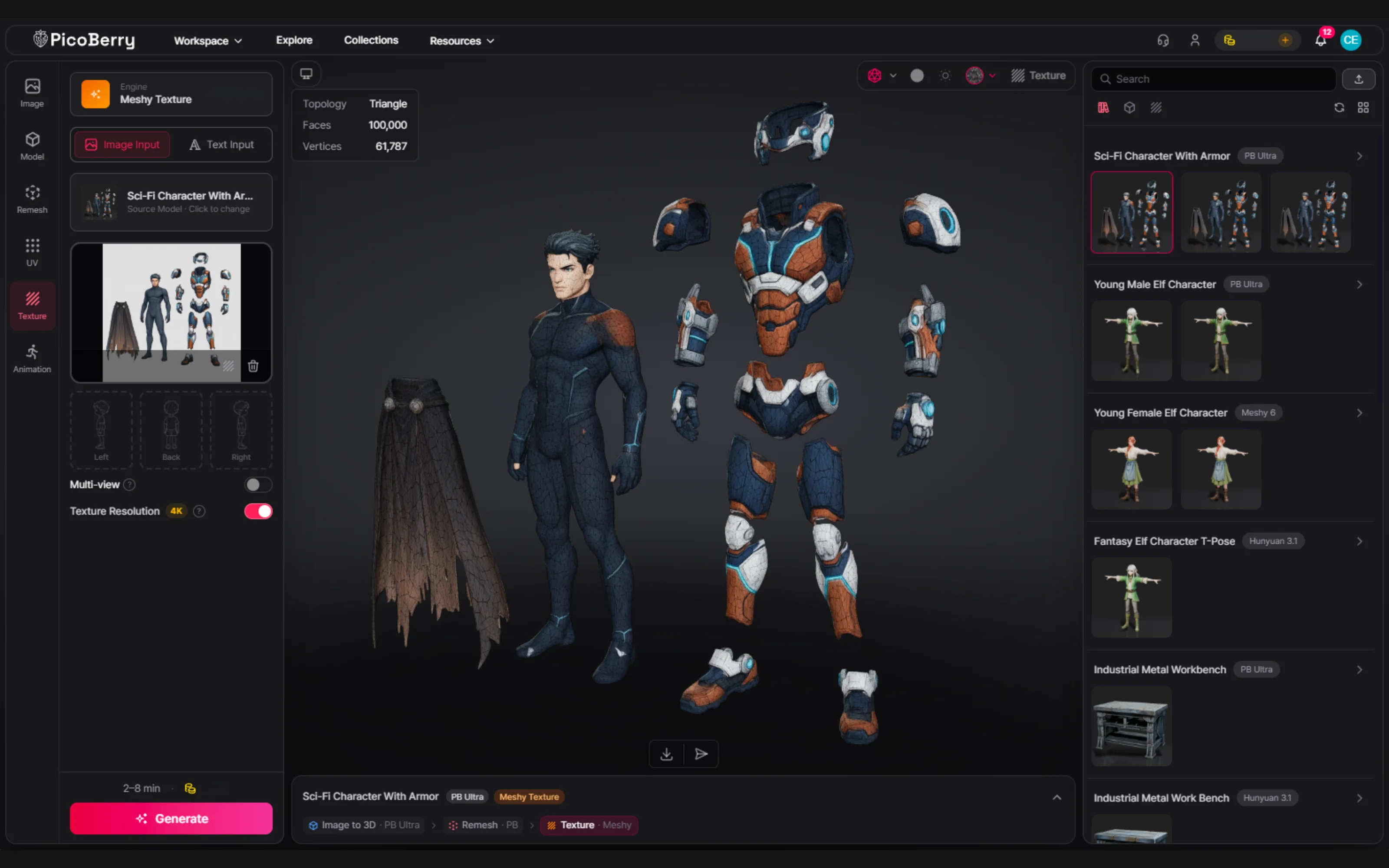
One generated character separated into its parts. What ships as a game asset is more than the first render — parts, topology, textures, and scale all get reviewed before it does.
Six Checks That Decide Game-Asset Quality
Define quality as criteria you can verify, not as a marketing adjective. These are the ones a game asset has to pass.
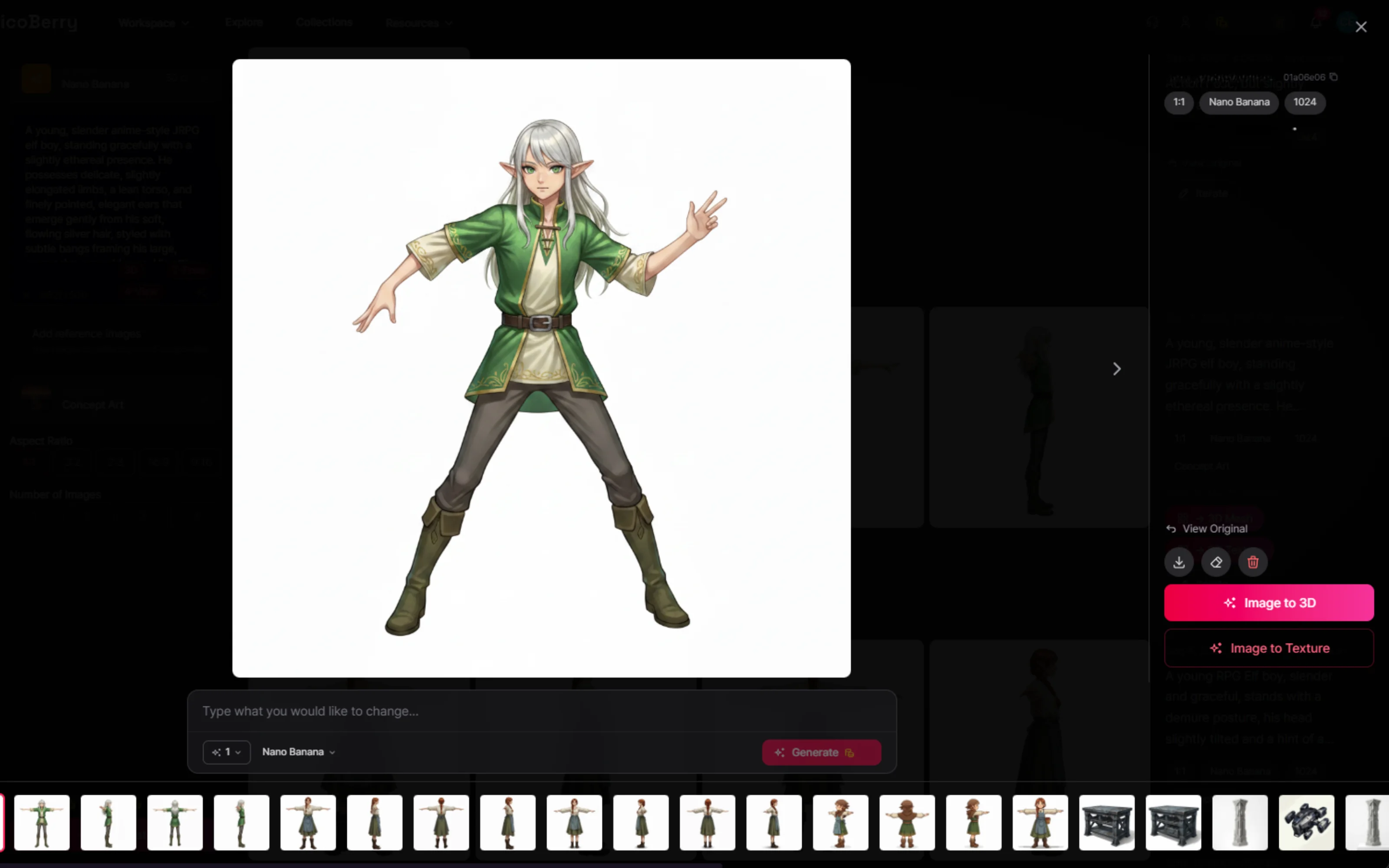
Silhouette & style fit
Does the shape read at a glance, and does it match your game’s art direction? A model that looks good in isolation can clash with your palette, proportions, or genre. Judge it next to your existing assets, not on a neutral turntable.
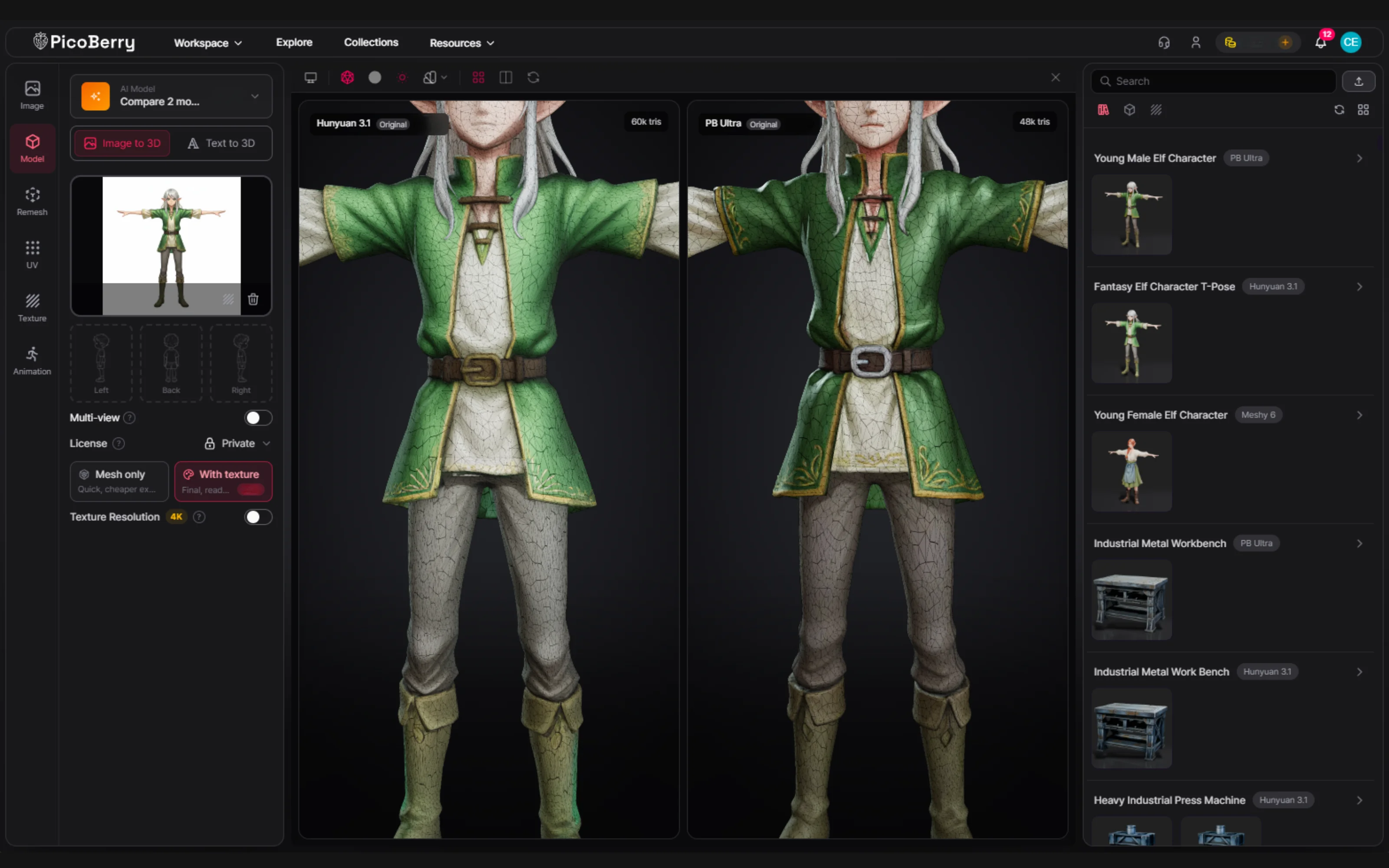
Topology & polycount
Generated meshes are often dense or triangulated in ways that don’t suit real-time rendering. Check the polycount against your budget and whether the topology can deform if the asset needs to animate. Retopology or remesh may be needed.
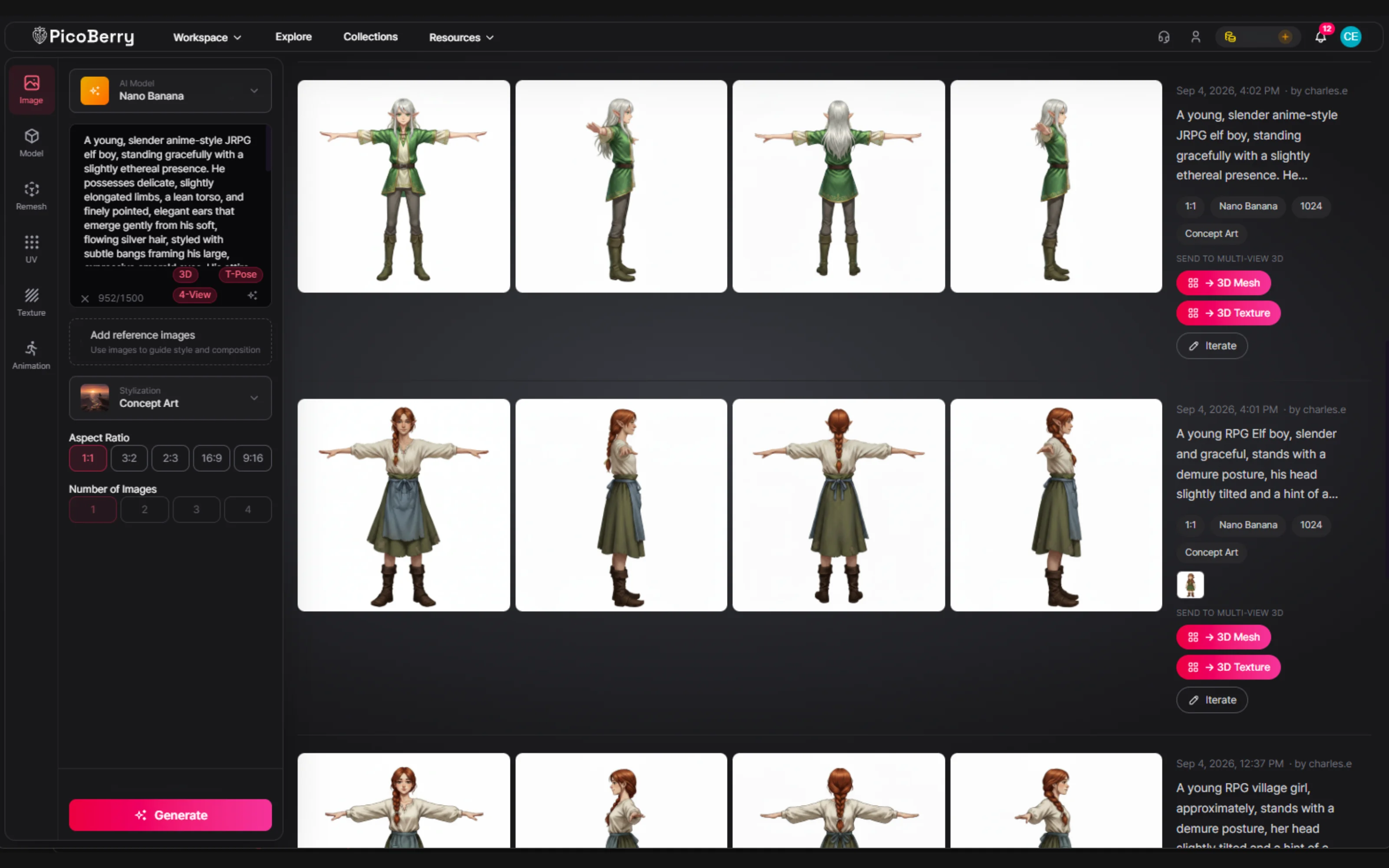
Scale, pivot & orientation
An asset has to arrive at the right real-world scale, with a sensible pivot and a correct forward axis, or it fights your engine. This is a quick check that saves a lot of downstream fixing once assets start populating a scene.
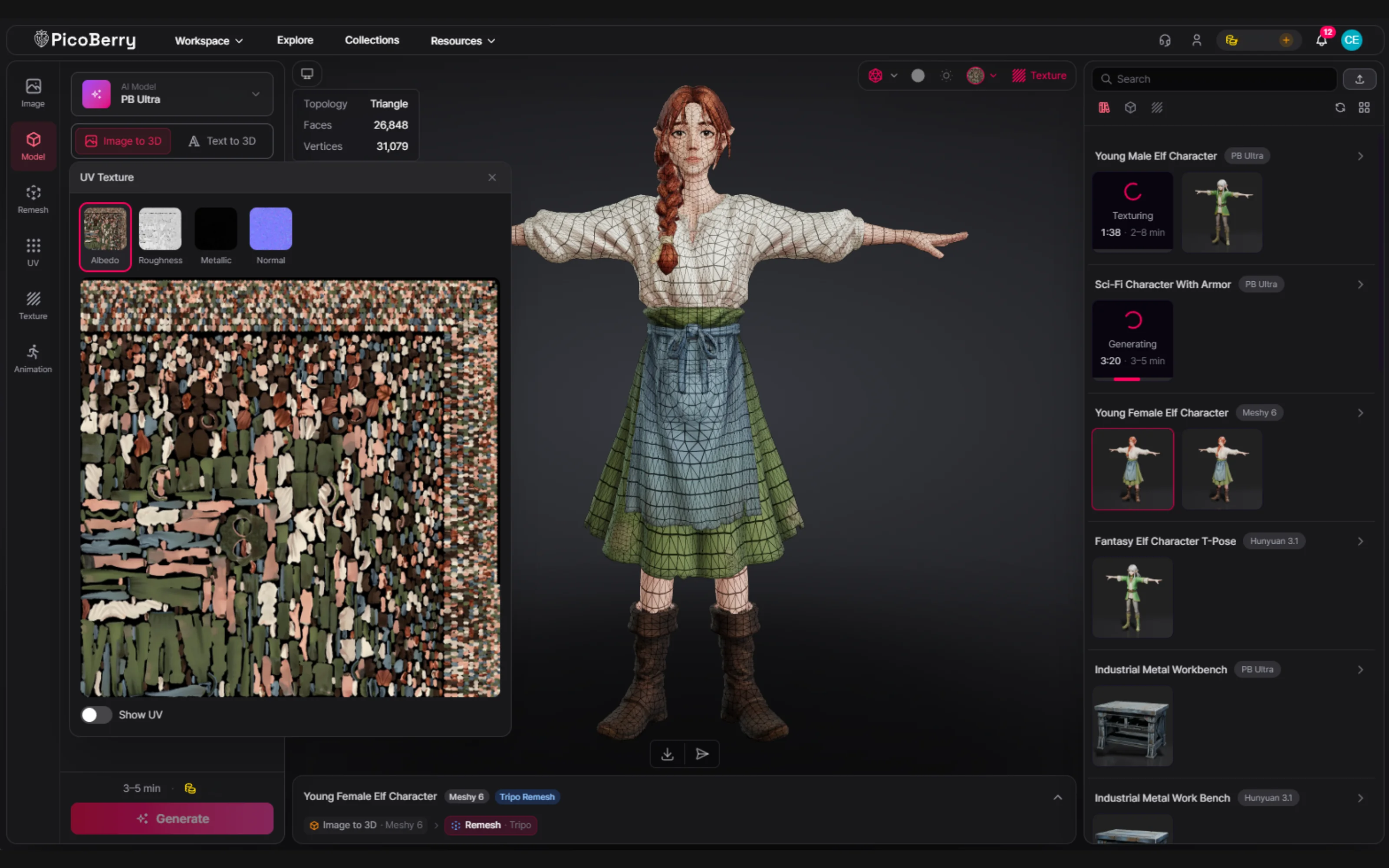
Textures & materials
Review resolution, UV layout, and whether the material set (albedo, normal, roughness, metallic) matches your rendering pipeline. AI textures can look convincing yet still need rework to tile, read up close, or fit a stylized target.
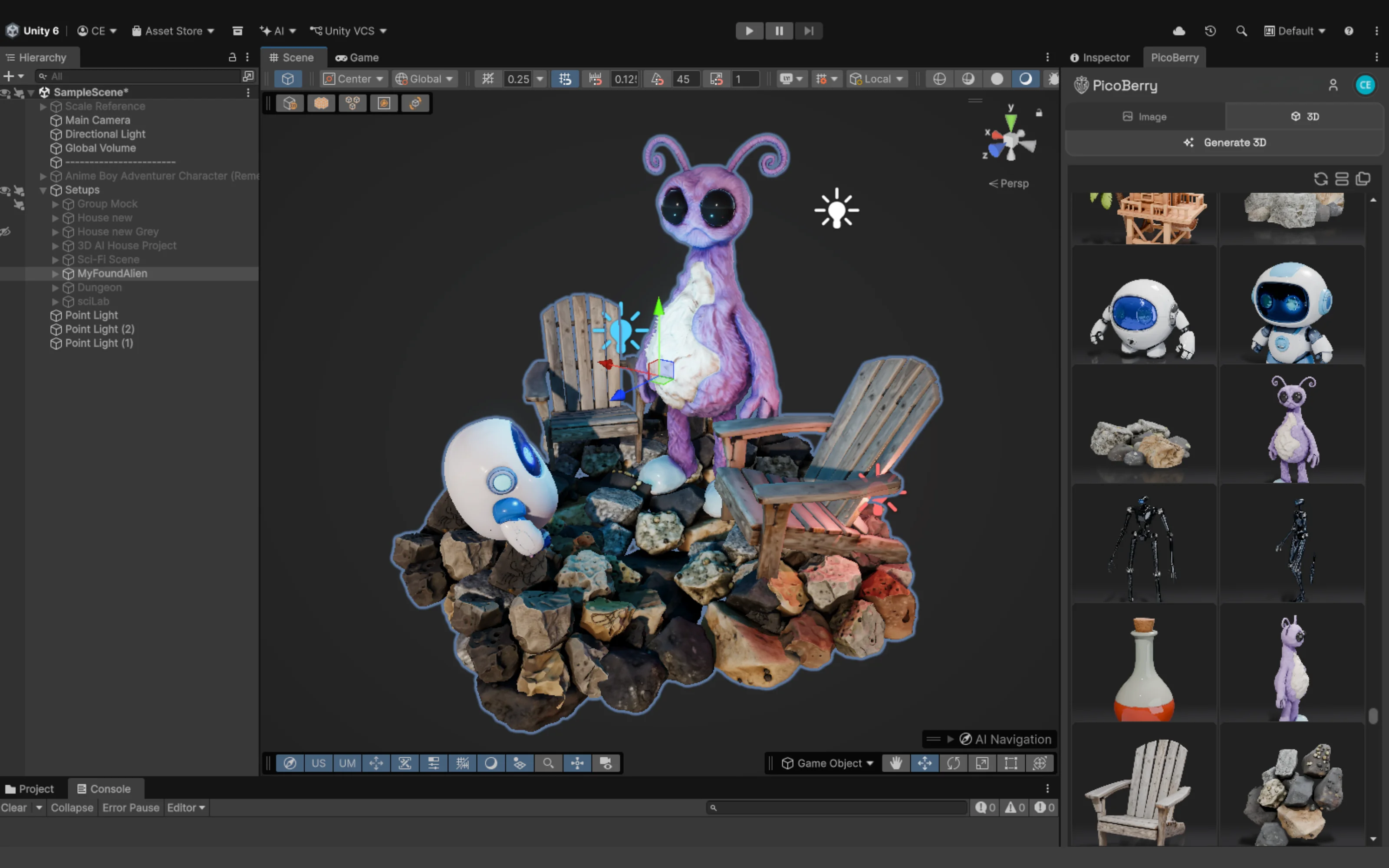
In-game camera & lighting
An asset only matters as it appears in play. Check it under your actual camera distance and lighting rig — baking, shadows, and post can change the read completely from the generator’s clean preview.
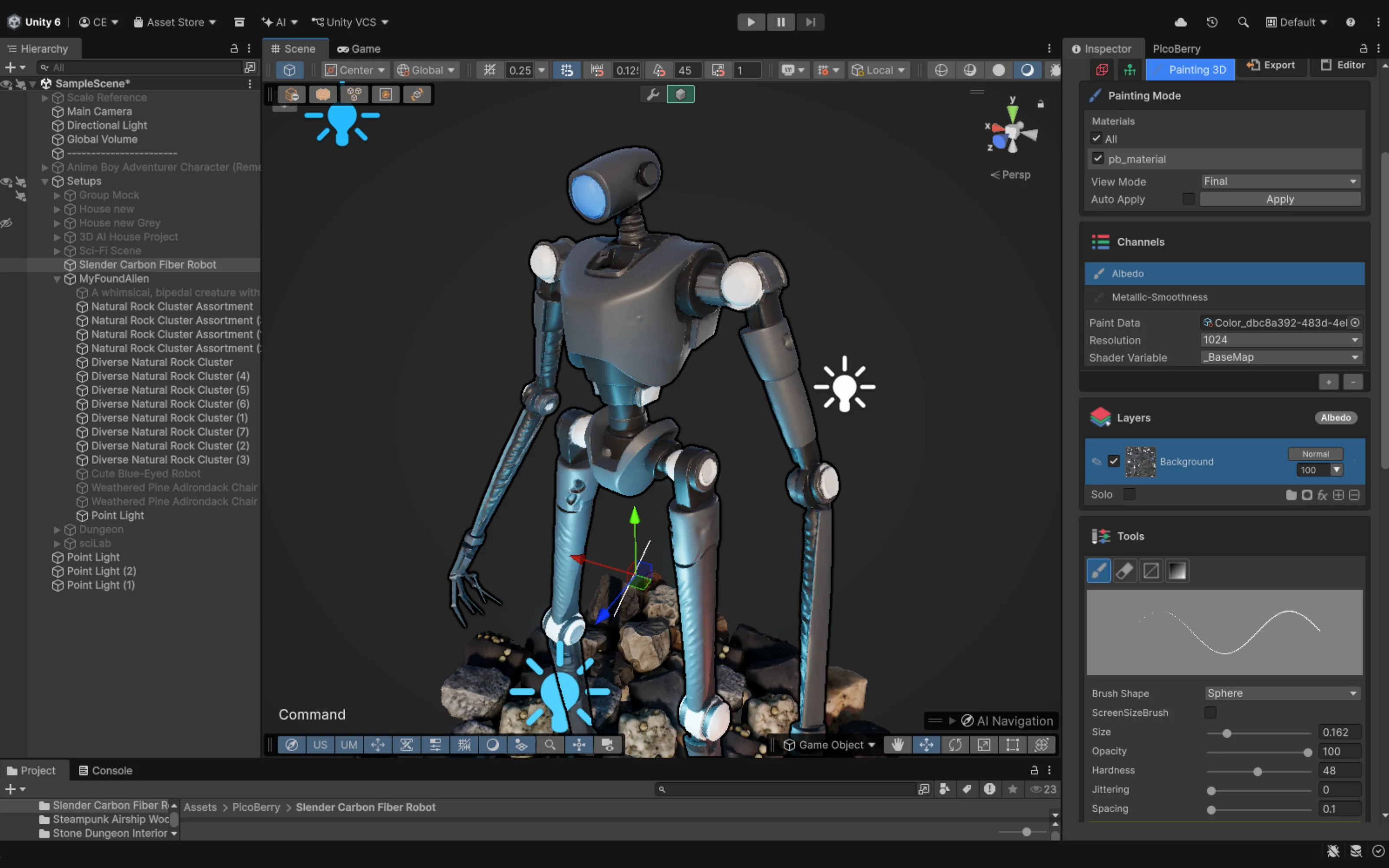
Refinement & iteration time
A practical metric to track is how long it takes to get from draft to shippable. Budget for cleanup, and prefer a workflow where re-rolling, remeshing, re-texturing, and reviewing happen without hopping between disconnected tools.
A Review Pass Before an Asset Ships
Run this on every asset that makes it past exploration. None of it is automatic — it is the work that turns a generation into a game asset.
Compare against reference and existing assets
Confirm the silhouette and style match your game — not just that the model looks good on its own.
Check polycount against the budget
Retopologize or remesh if the mesh is too dense, and verify the topology can deform if it will animate.
Set correct scale, pivot, and forward axis
Make sure the asset imports at real-world scale with a usable origin, so it drops into a scene cleanly.
Inspect UVs and the material set
Confirm the maps and shading model fit your render pipeline, and re-texture or re-unwrap where they don’t.
View it under the game’s real camera and lighting
Approve on how it reads in play — distance, lighting, and post — not on the generator’s preview.
Note the refinement time
Record how long the cleanup took — it tells you whether that tool and model are worth repeating for the next asset.
Where AI 3D Generation Helps — and Where Your Team Still Decides
Generation and its refine tools shorten the loop; they do not replace the review. Here is an honest split for PicoBerry specifically — the checks above are still run by you.
Explore silhouette & style with engine choice
Generate the same concept across engines and from references or multi-view input, then keep the read that fits your art direction. It helps you reach a good silhouette faster; judging the fit is still your call.
How to choose a tool →Hit a topology & polycount target with remesh
Remesh retopologizes an existing model toward a target polycount for real-time use, so reducing density is its own step instead of a re-roll. You still confirm the result suits your budget and deformation needs.
Remesh workflow →Rework textures and UVs
Unwrap UVs and re-texture the generated mesh to move toward a material set that fits your pipeline. The pipeline match is a check you run; the tools make the change repeatable instead of manual.
Re-texturing workflow →Review and refine inside Unity
With UModeler X (free) the asset can be edited and viewed in the Unity Editor, so the in-scene camera, lighting, and scale checks happen where the game actually runs — without a separate DCC round trip. Rigging and animation are their own steps.
AI 3D for Unity →None of this makes an asset automatically finished — it shortens the path from a draft to a reviewed, refined asset that fits your project. Generated assets may require project-specific review or refinement before a team uses them.
When a Different Approach Is the Better Call
An honest quality guide has to say where AI generation is not the answer.
A hero asset that carries the game
For a signature character or a marketing-facing hero prop, the control and consistency of hand-authored modeling and texturing is often worth the extra time. AI generation is better for volume and exploration than for the one asset everyone will scrutinize.
A strict, established art style
If your game has a tight, distinctive style guide, a generated draft can fight it more than help. Reference-led generation narrows the gap, but a highly stylized target sometimes needs an artist from the first polygon.
A tool your team already masters
If you already have a generator and a cleanup pipeline that works, the gain from switching has to beat the cost of change. Evaluate any new tool on your own assets before moving a shipping project onto it.
Frequently Asked Questions
Are AI-generated 3D models high enough quality for games?
They can be a strong starting point, and some are usable with light cleanup, but treat a generated model as a draft rather than a finished asset. Whether it is high enough quality depends on your game’s requirements — polycount budget, art direction, rigging needs — and on the review and refinement you do afterward. Many teams use AI generation for exploration and first passes, then refine the assets that make it into the game.
What makes an AI-generated asset low quality for a game?
Usually not the look in a preview, but practical mismatches: topology that is too dense or hard to animate, wrong scale or pivot, UVs and materials that do not fit the render pipeline, or a silhouette that clashes with the game’s style. These are all fixable — they are the checklist above — but they are why the first render is not the finish line.
How long does it take to refine an AI-generated asset to game quality?
It varies widely by asset and requirements, so plan for it rather than assuming zero. A simple prop might need only minutes of cleanup; an animated character can take substantially longer for retopology, rigging, and material work. The useful habit is to measure refinement time per asset — it tells you which tool and engine are actually worth repeating.
Can I improve quality without switching between separate tools?
Partly. A workflow that keeps generation, remesh, UV unwrap, re-texture, and rigging in one place — and lets you review inside your engine — reduces the round trips that eat time. PicoBerry is built that way, and UModeler X lets Unity teams edit and review in the editor. The review itself is still yours to run; the point is fewer tool hops between draft and finished asset.
Does a higher-priced generator mean higher-quality game assets?
Not reliably. Output quality varies more by model, prompt, and subject than by price, and the leading tools overlap heavily. For game work the bigger lever is the workflow around generation — how quickly you can iterate, refine, and review against your game’s criteria — not the sticker price of a single generation.
Explore More
AI 3D Generation for Small Game Studios
How to choose a tool by workflow fit — the selection guide.
Read the guide →PicoBerry Remesh Workflow
Retopologize a generated mesh toward a target polycount for real-time use.
See remesh →AI 3D Model Re-Texturing
Rework textures and materials so an asset fits your render pipeline.
See re-texturing →Rigging & Animation
Auto-rig and animate characters that need to move in game.
See animation →Image to 3D for Game Developers
Start from concept art or references to keep results on-style.
Read more →AI 3D Generation API
Script generation and refinement into your own tools and pipelines.
View the API →Generate a Draft. Then Make It Good.
High quality is what survives review and refinement. Start from a fast AI draft, take it through remesh, texture, and an in-engine check, and keep the assets that earn their place in the game.