Launch Event50% off annual plans · free Nano Banana images · Premium Templates with Max yearlySee the offer
Meshy 6 Low Polyends Oct 29 · continue with Meshy T2.5Try T2.5
Guide · Creatures
Best AI 3D model for creatures
Monsters, beasts, aliens, and mounts: organic bodies that have to read as believable and then actually move. Great creatures start with a strong concept image, then a model whose anatomy deforms and rigs cleanly. Here is the workflow and the models to try first.
Try first for creaturesTripo P2Meshy 6then compare onsilhouettedeformationtopology
How do you generate a creature that deforms and moves without tearing?
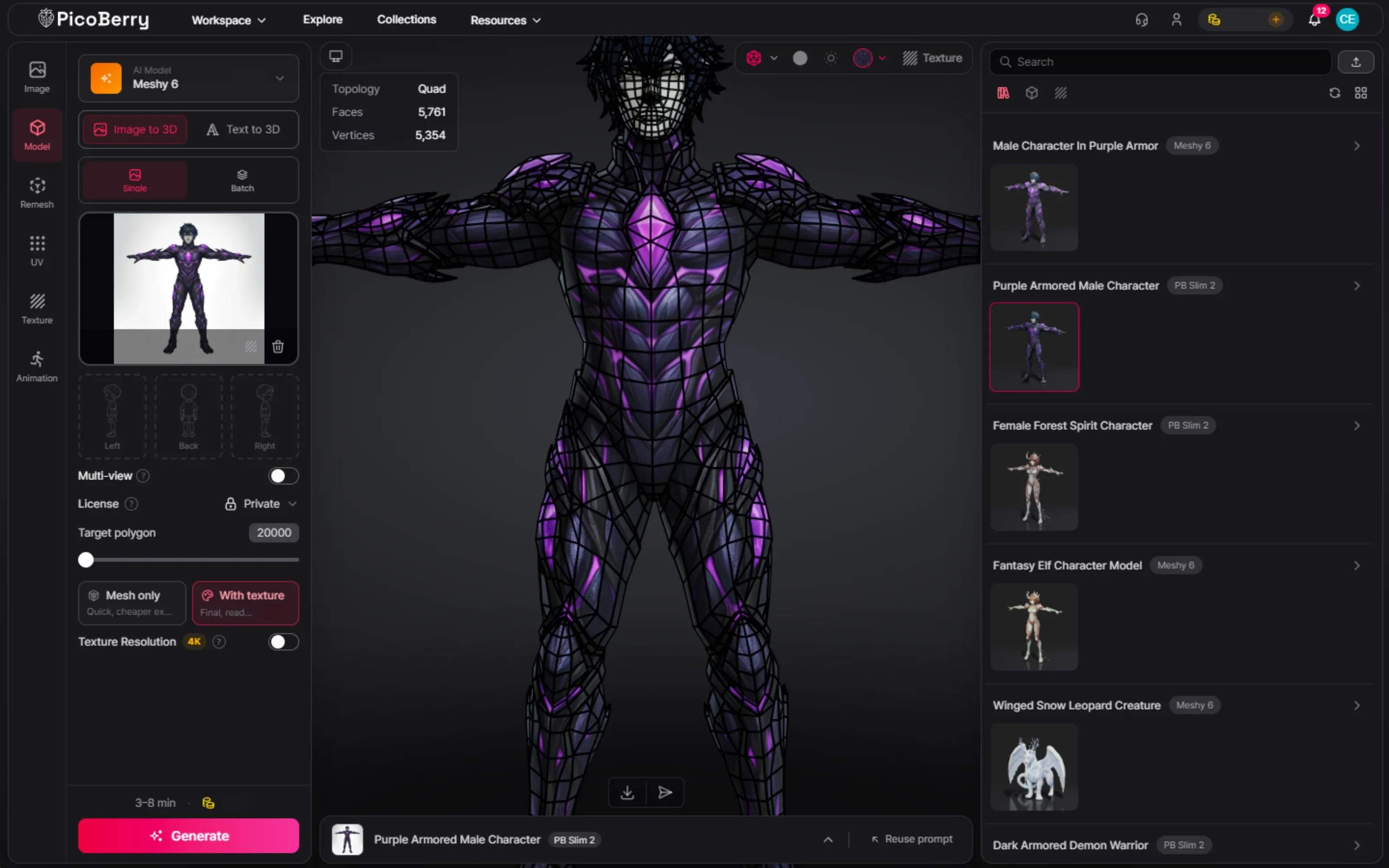
Start from a strong concept image, generate it on Tripo P2 and Meshy 6, and compare the anatomy before the texture. What decides a creature is whether the body reads as one believable form and whether there is enough clean geometry where it bends — shoulders, hips, spine, and the base of any tail. Judge that on the wireframe, not the render. If the body is a biped, auto-rig and animate it in PicoBerry with either the Tripo or the Meshy engine. PicoBerry’s auto-rig is biped-only, so quadrupeds, serpentine bodies, and winged forms are rejected at preflight before any credits are charged — export those to Blender through the DCC Bridge, or to Unity with UModeler X, and rig them there.
What matters most for creatures
The six criteria from the hub, weighted for creatures. These are the three that decide an organic character the fastest.
Silhouette & anatomy
A creature has to read from its outline and feel anatomically plausible. A weak or generic silhouette is the first thing to reject.
Deformation-friendly topology
Organic bodies bend at shoulders, hips, spine, and tail. The mesh needs loops that deform cleanly instead of pinching.
Ready to rig & animate
A creature only earns its place once it moves. It has to auto-rig and take animation without the mesh tearing at the joints.
Models to try first for creatures
Reasonable starting candidates to test, not fixed winners. Run the same concept image across them and judge the results. The lineup evolves, so check the current model picker in PicoBerry.
Candidate A
Tripo P2
A leaner model at a much lower polygon count, with clean quad topology. A strong first try when you want an optimized creature that deforms and rigs cleanly.
Check: that the silhouette holds and the loops deform at the joints.
Candidate B
Meshy 6
A high-detail all-rounder worth comparing head to head with Tripo P2 on the same image. It often holds scales, horns, and surface detail better for a hero creature.
Check: which one gives the cleaner silhouette and body flow.
Then rig and animate
Auto-rig in PicoBerry
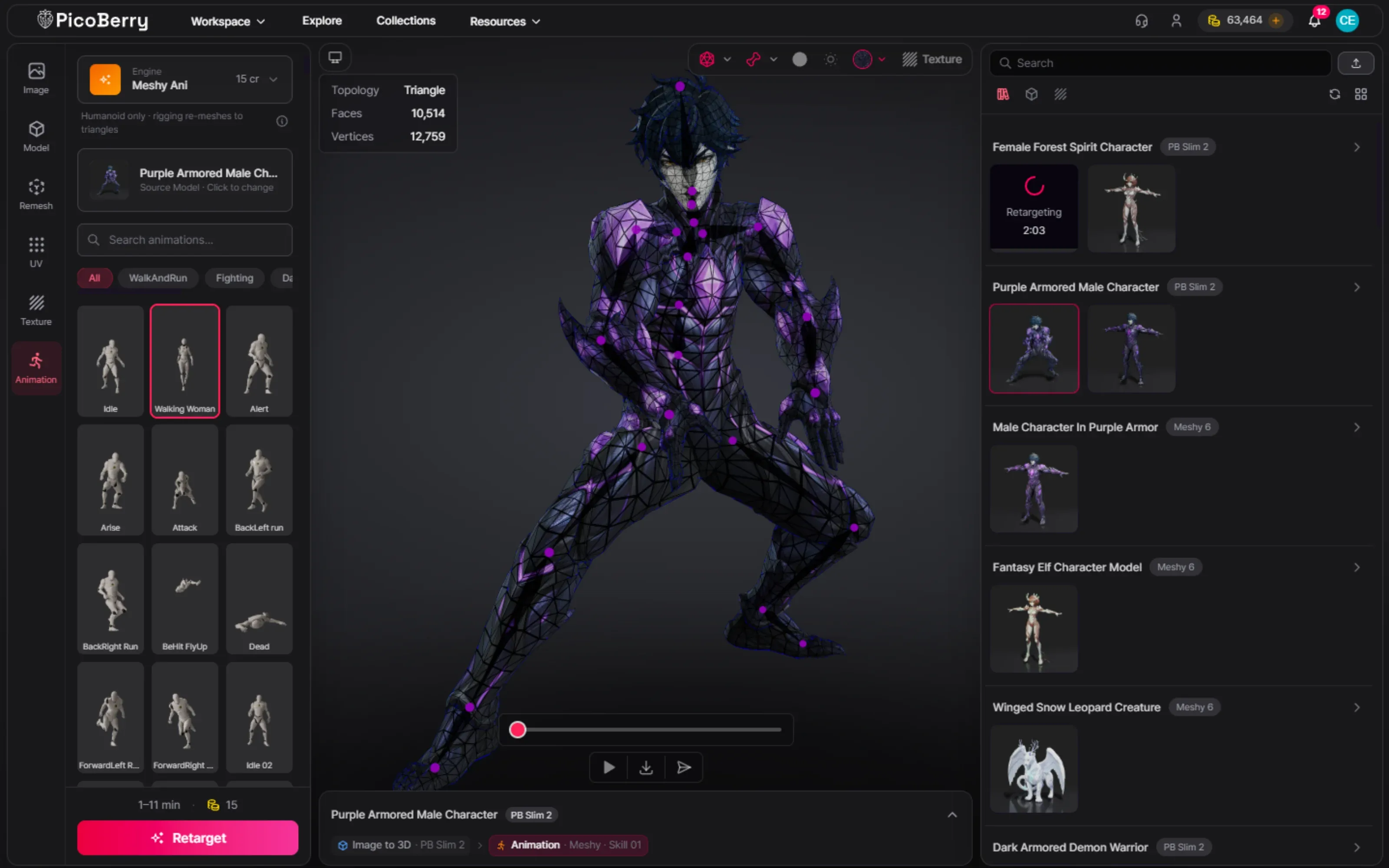
Once you pick the winner, auto-rig and apply the animation library (Tripo or Meshy engine) in PicoBerry. Remesh first if the body is too dense to deform smoothly.
Check: that limbs, spine, and tail deform without pinching.
The same creature across models
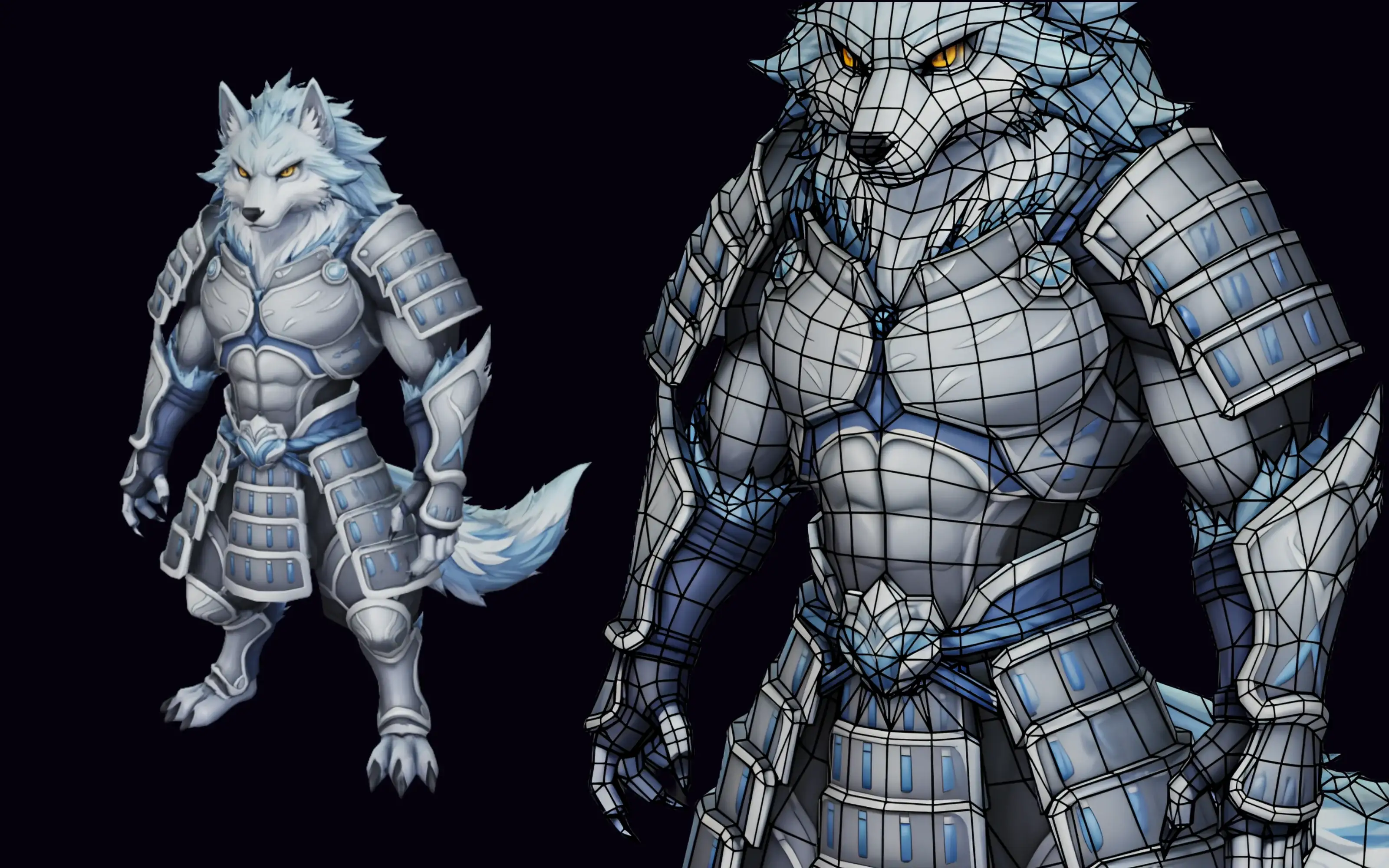
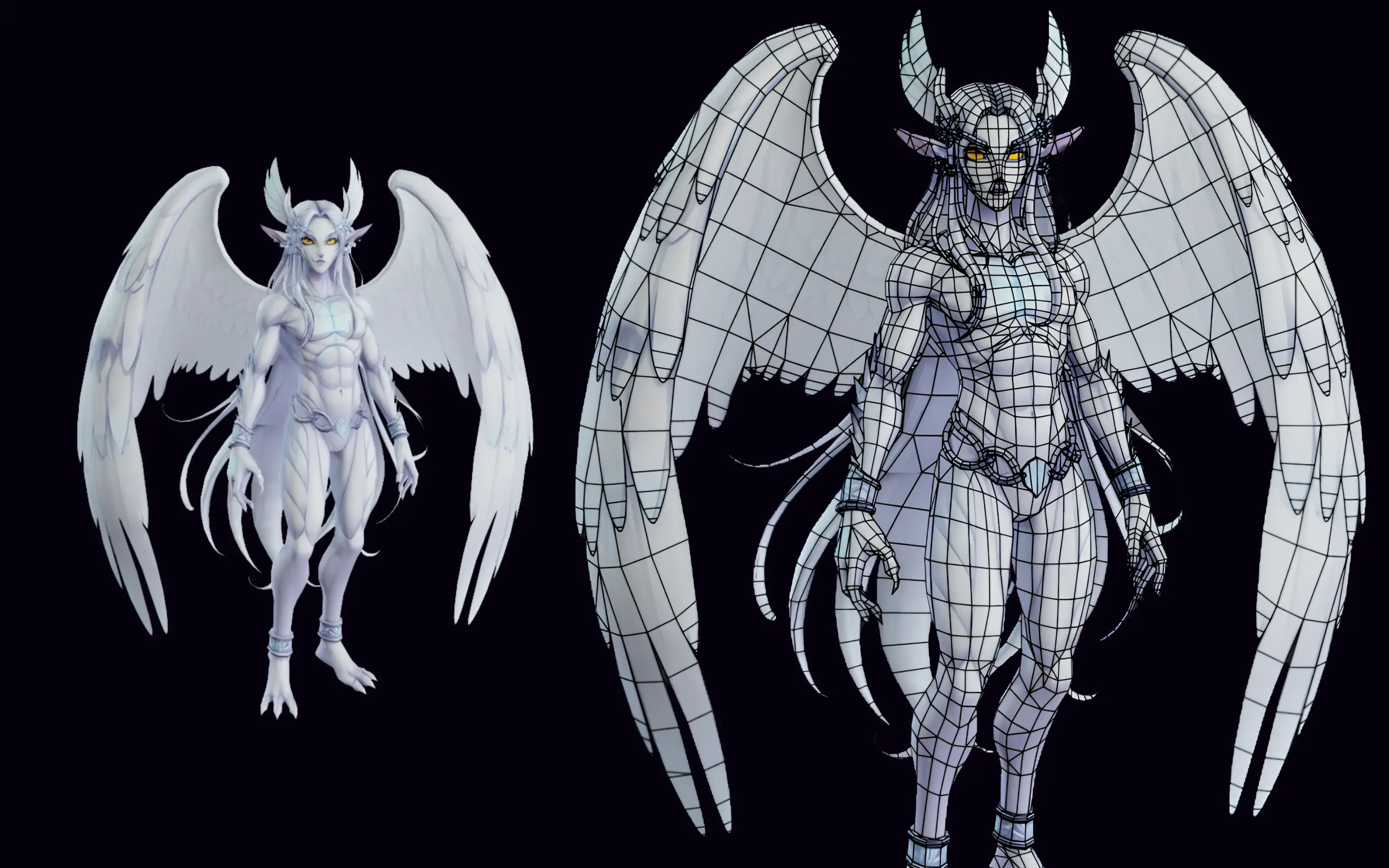
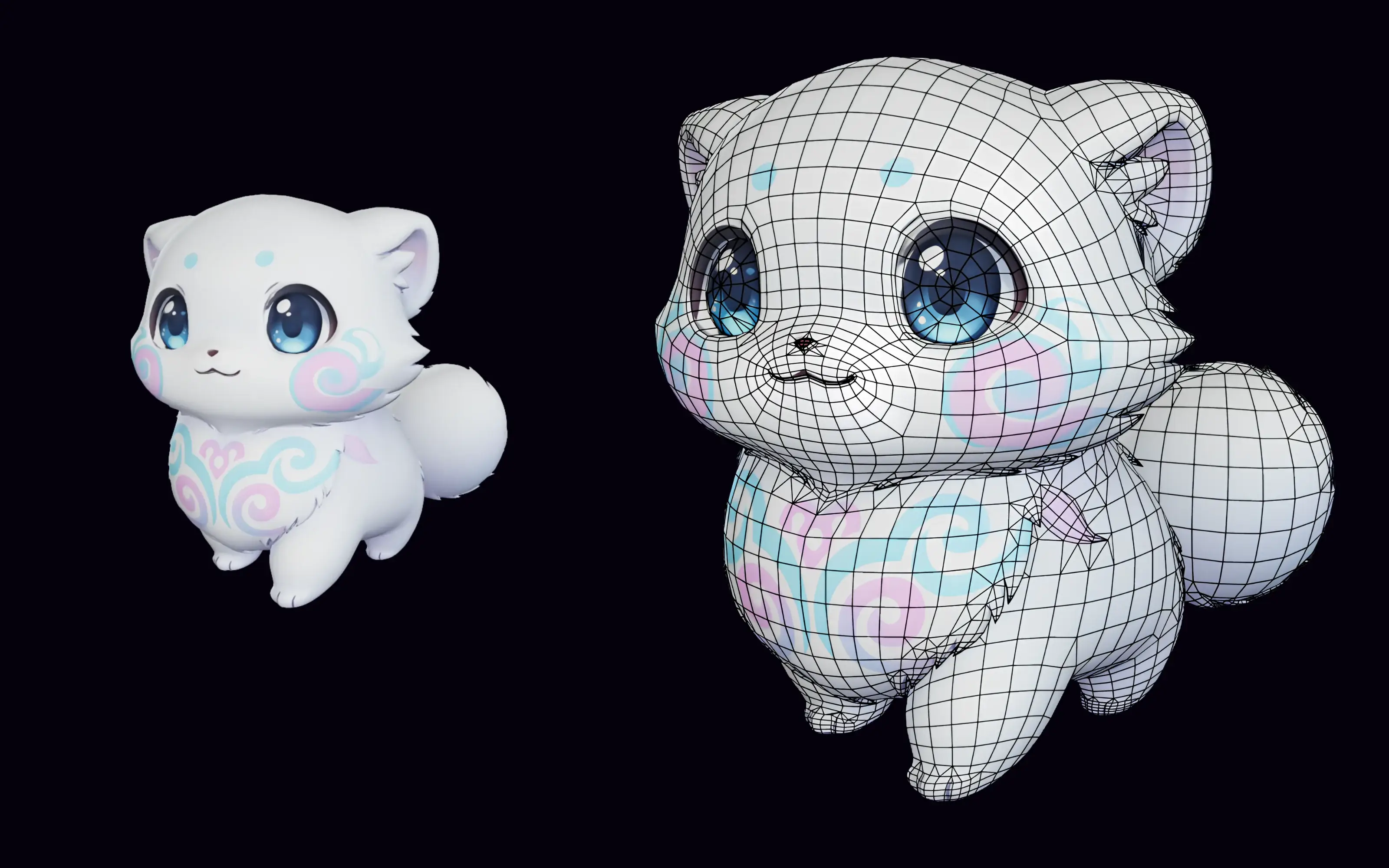
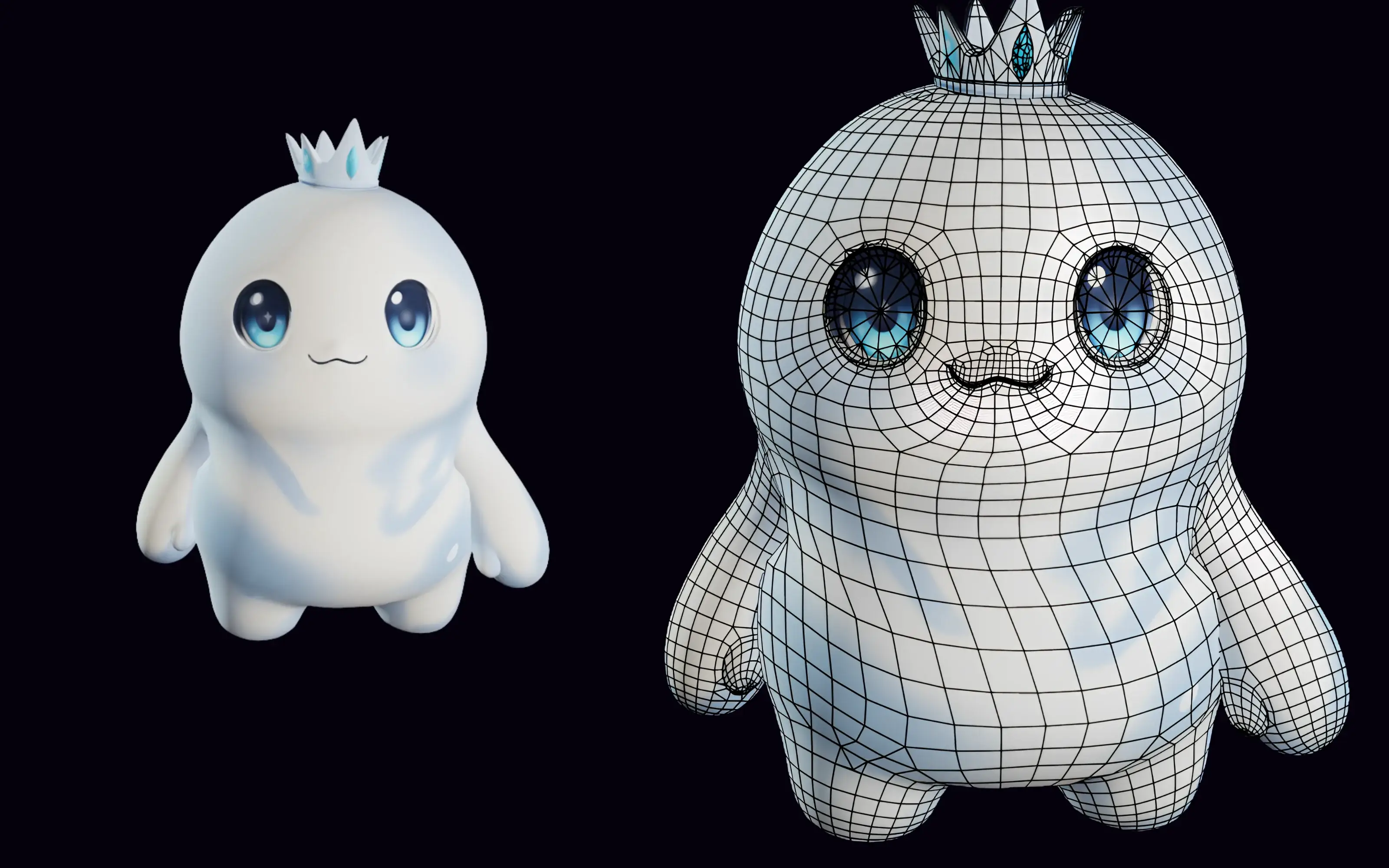
A like-for-like test: one concept image, a couple of models, judged on silhouette, deformation, and topology. This is the evidence behind the recommendation above.
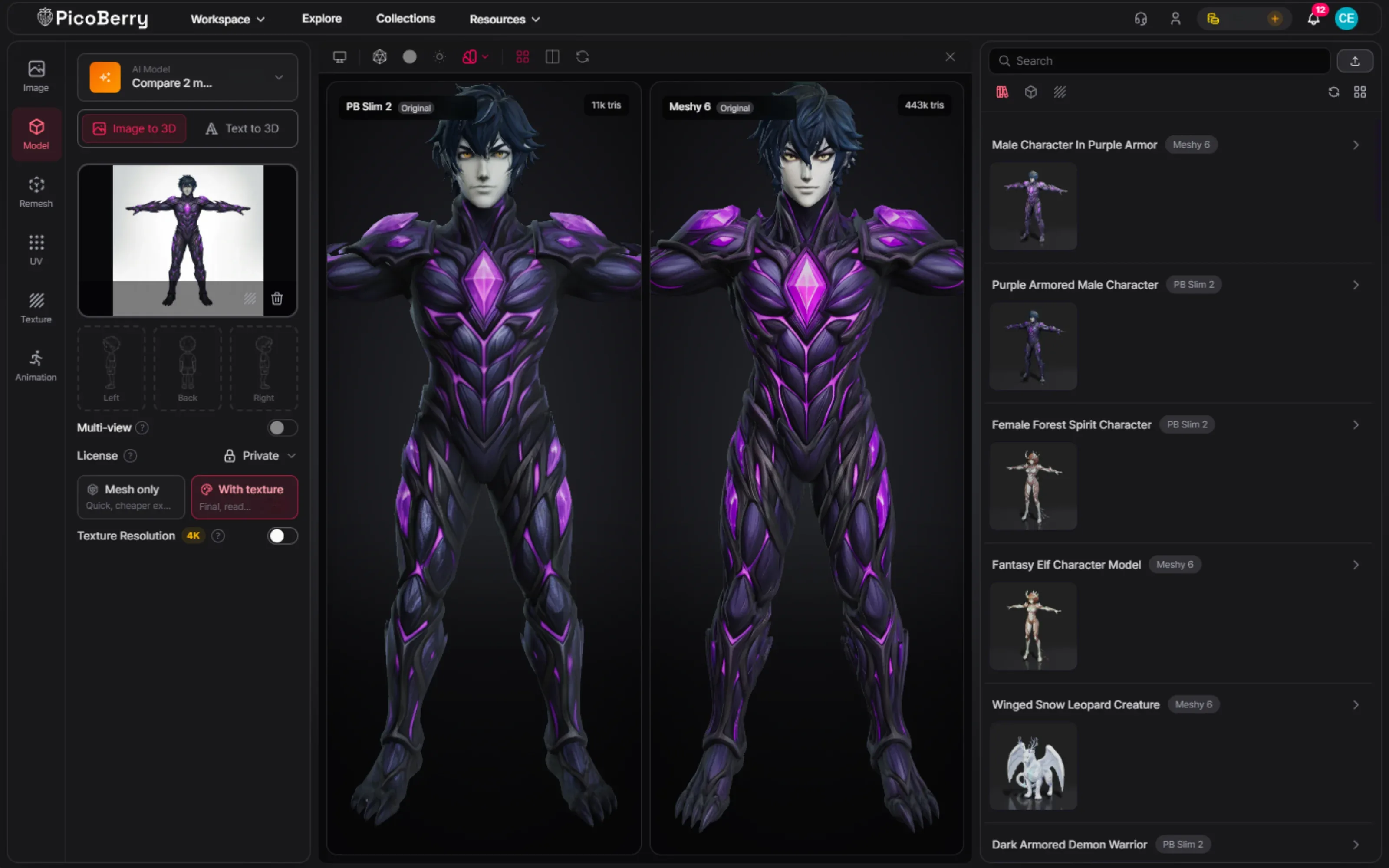
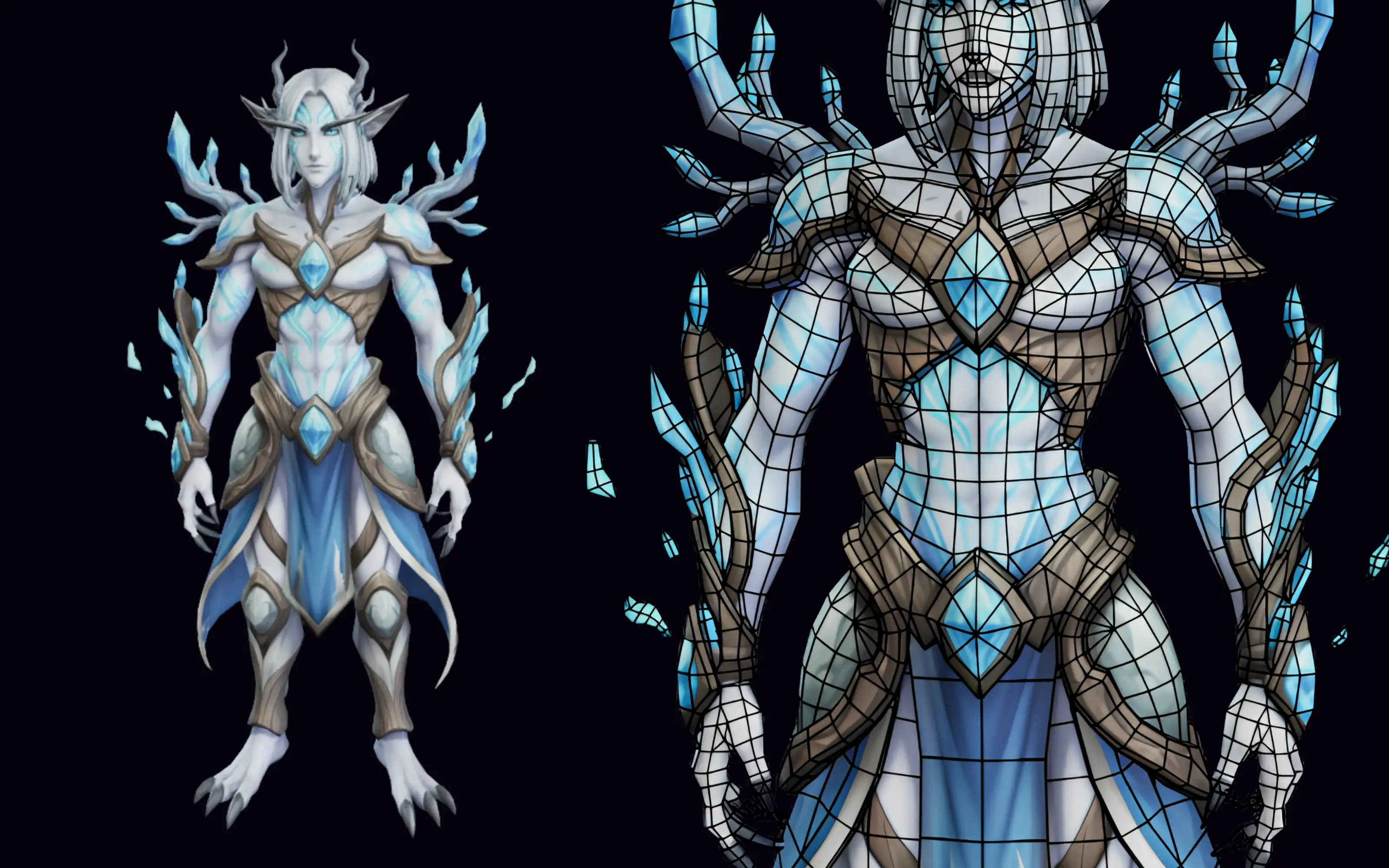
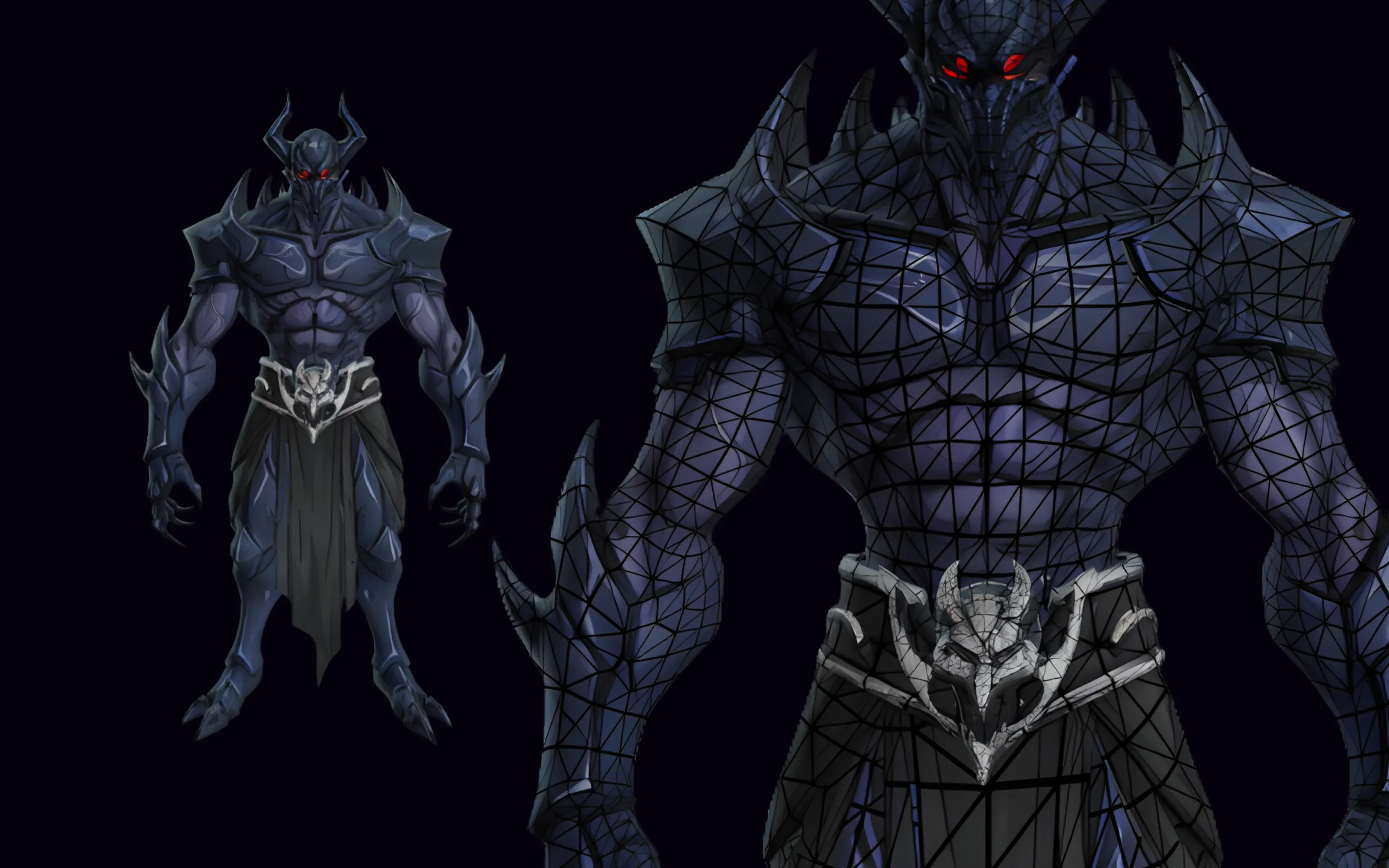
Same image, two models
One creature, two candidates, so the difference in silhouette and anatomy is visible, not asserted.
Measured: Tripo P2 11k triangles · Meshy 6 443k triangles — a 40× gap, so judge the anatomy first and treat the dense result as something you will remesh.
Topology at the joints
The wireframes reveal which body will deform cleanly once it is rigged and posed.
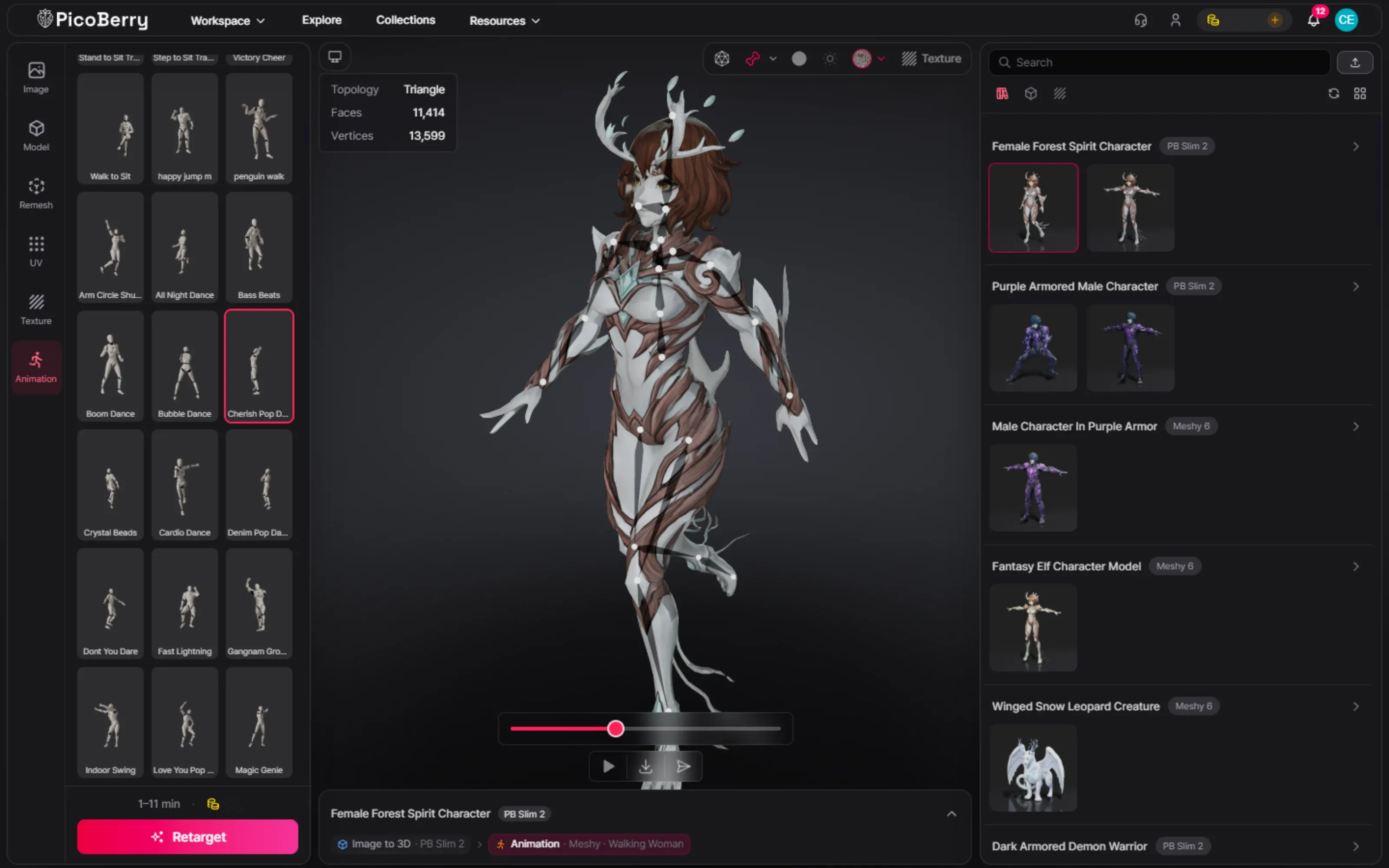
Chosen creature rigged and moving
The winning candidate auto-rigged in PicoBerry and animated, ready for your scene.
How to choose for creatures, step by step
STEP 01
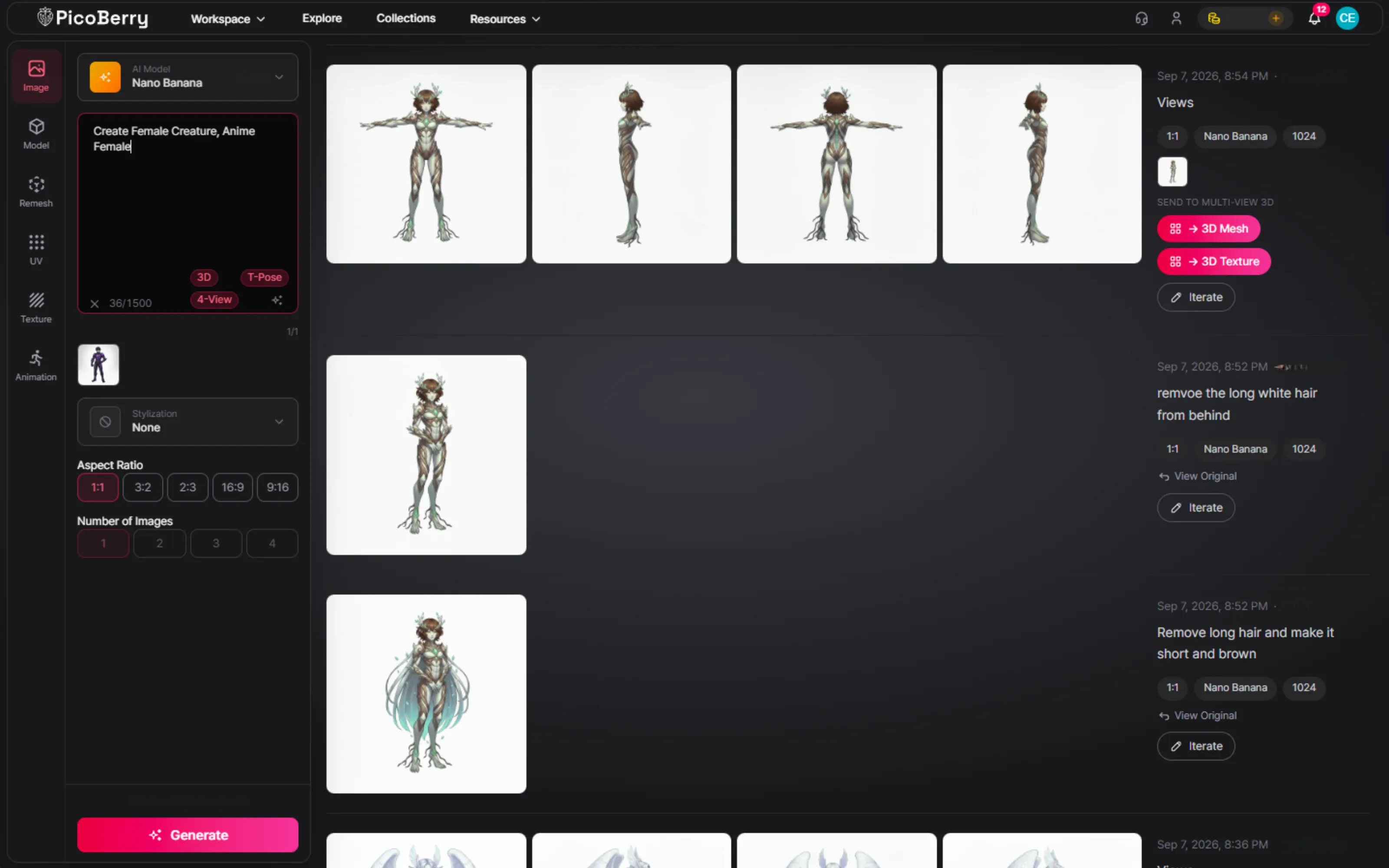
Start with a strong concept image
Generate your creature concept in PicoBerry Image Generation, or bring your own art. A clear, well-lit silhouette in the image leads to a clean body in 3D.
STEP 02
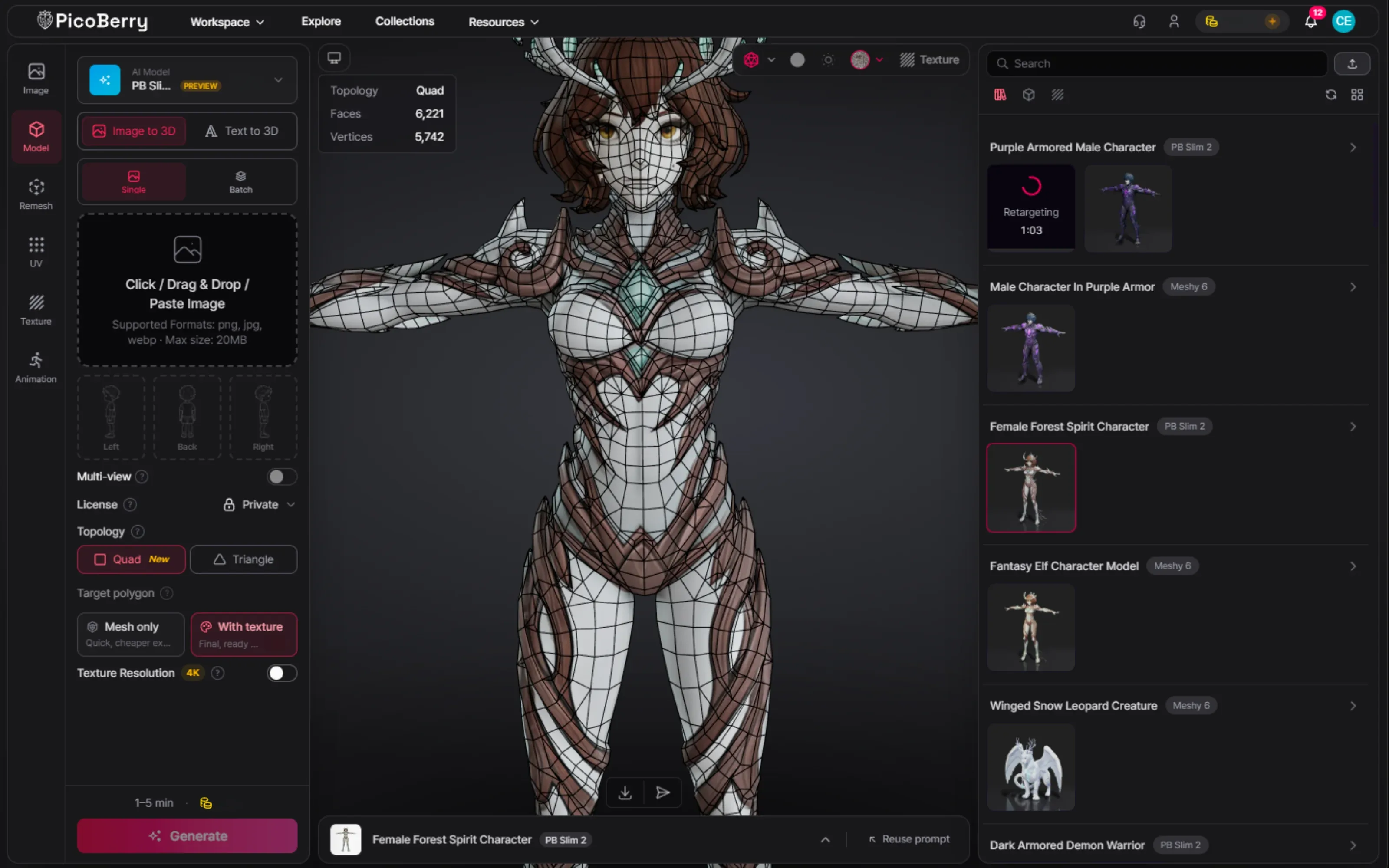
Generate on Tripo P2 and Meshy 6
Run the same image through both models in PicoBerry, on one credit pool, so the comparison is fair.
STEP 03
Compare silhouette and deformation
Judge the silhouette and anatomy first, then the wireframe at the joints. Keep the one that will move without tearing.
STEP 04
Rig, animate, export
Remesh if needed, then auto-rig and animate in PicoBerry and export for your engine.
Creatures from this workflow
Example renders from the workflow above. Each one still needs a review against your project’s standards — polygon count, UVs, skinning weights, and how the body reads in motion.
Creatures whose body plan isn’t a biped
PicoBerry’s auto-rig works on biped bodies. A winged, four-legged, or limbless form is classified outside that set and rejected at preflight, before any credits are charged. A tail does not disqualify a biped — a beastfolk with a tail rigs like any other biped. Generate and refine the non-biped forms here, then export to Blender through the DCC Bridge, or to Unity with UModeler X, and rig them there.
The bottom line for creatures
Great creatures start with a strong concept image, then the right model. Generate the reference in PicoBerry Image Generation or bring your own, then try Tripo P2 and Meshy 6 for believable anatomy. Keep the one with the cleaner silhouette and deformation.
For biped creatures, auto-rig and animate the winner in PicoBerry with either the Tripo or the Meshy engine.
For non-biped forms — quadrupeds, serpentine bodies, winged shapes — the auto-rig preflight classifies the body outside the supported set and rejects it before any credits are charged. Export the model to Blender through the DCC Bridge, or to Unity with UModeler X, and rig it there.
Models change and results depend on your prompt, so treat this as a starting point to test, not a fixed ranking. The full method lives in the hub guide.
Frequently asked questions
What is the best AI 3D model for creatures?
There isn’t a fixed best, but Tripo P2 and Meshy 6 are strong first tries for creatures. Start from a strong concept image, test both on the same reference, and keep the one with the better silhouette and cleaner deformation, then auto-rig and animate it in PicoBerry with either the Tripo or the Meshy engine — if the body is a biped. Quadrupeds, serpentine bodies, and winged forms are rejected at preflight before any credits are charged; export those and rig them in Blender or Unity.
Do I need a high-detail model for creatures?
It depends on the camera. Close-up hero creatures with scales, horns, or fur suggestion reward a high-detail model like Meshy 6. For distant or simpler creatures, a leaner result like Tripo P2 that rigs fast can be the better trade. Compare both on the same image.
Can I animate a creature with a tail or wings?
A tail is fine; wings usually are not. PicoBerry’s auto-rig works on biped bodies, and a tail does not change that — a bipedal beastfolk with a tail rigs like any other biped, and the tail simply comes along unanimated. A winged form is different: the preflight classifies it outside the biped set and rejects it before any credits are charged, the same as a quadruped or a serpentine body. For those, export the model to Blender through the DCC Bridge, or to Unity with UModeler X, and rig it there.
Do quadrupeds need a different reference than bipeds?
They need a clearer one. A biped can be generated from a front-facing T-pose because the pose itself tells the model where the limbs are. A quadruped has no equivalent convention, so a single front view leaves the leg placement and the body length ambiguous. Give it a side view, or a multi-view reference, and keep the legs clearly separated from the body. It still will not auto-rig in PicoBerry, but a clean quadruped mesh is far faster to rig in Blender or Unity than a fused one.
Creatures across Models
Generate the same concept on a couple of models in PicoBerry, compare silhouette and deformation, then rig and animate the one that fits.